
Subtotal $0.00



Email : 78
Introduction
Artificial Intelligence is growing very fast, and new updates are coming almost every month. One of the biggest updates in 2026 is from Anthropic with its latest Claude AI model. If you are a developer, startup founder, marketer, or just someone interested in AI, this update is very important for you.
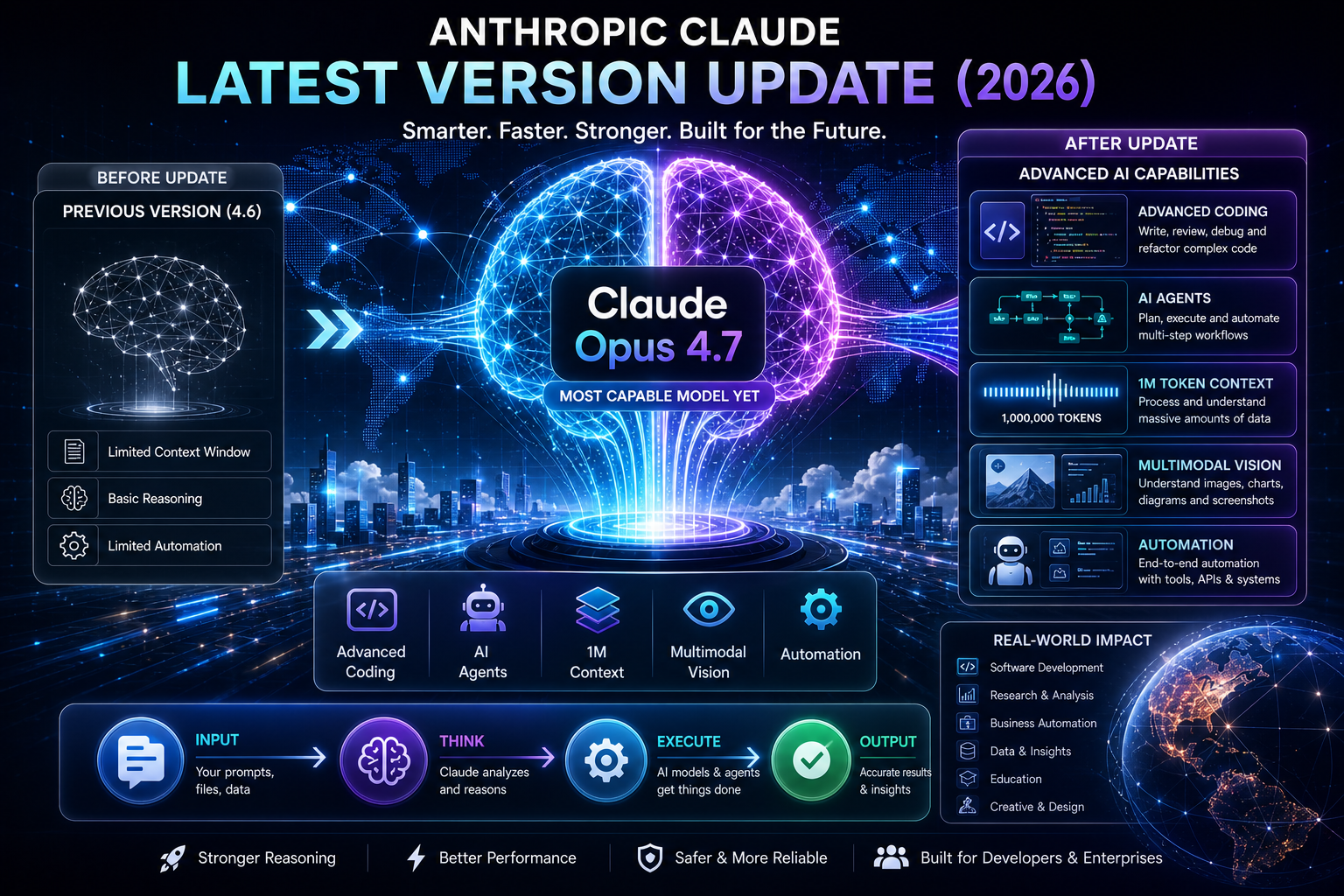
The new version, Claude Opus 4.7, brings powerful improvements in coding, reasoning, automation, and real-world applications. It is designed to handle complex tasks with better accuracy and efficiency.
In this article, you will learn everything in very simple language. We will explain features, performance, pricing, use cases, comparisons, and practical tips. This guide will help you understand how Claude AI is evolving and how you can use it in your business or daily work.
What Is Anthropic Claude?
Before understanding the update, let us first understand what Claude is.
Claude is a family of AI models developed by Anthropic.
It is designed to:
Help users solve problems
Write content
Generate code
Analyze data
Automate workflows
Claude is known for being safe, helpful, and powerful.
What Is the Latest Claude Version (2026)?
The latest version is:
Claude Opus 4.7
This is the most advanced model released in 2026.
It comes after:
Claude Opus 4.6
Claude Sonnet 4.6
This version focuses on:
Better reasoning
Advanced coding
AI agents
Long context understanding
Why This Update Is Important
This update is not just a small improvement.
It changes how AI works.
Importance of Claude 4.7
This version improves:
Accuracy
Speed
Automation
Real-world usability
It helps businesses and developers work faster.
Key Features of Claude Opus 4.7
Now let us understand the major features.
Advanced Coding Capabilities
Claude is now stronger in coding.
It can:
Write complex code
Fix bugs
Refactor projects
Understand large codebases
This makes it useful for developers.
AI Agents and Automation
Claude can now act like an AI agent.
It can:
Plan tasks
Execute steps
Use tools
Complete workflows
This is a big upgrade.
Large Context Window
Claude supports very large input.
It can process:
Long documents
Entire codebases
Large datasets
This makes it powerful for research.
Multimodal Capabilities
Claude can now understand images better.
It can:
Analyze diagrams
Read screenshots
Generate visual outputs
This improves usability.
Adaptive Thinking
Claude now adjusts its thinking level.
It can:
Solve simple tasks quickly
Handle complex tasks deeply
This improves efficiency.
Claude vs Other AI Models
Many people compare Claude with other models.
Claude vs OpenAI Models
Claude is stronger in:
Coding
Long context
Agent tasks
OpenAI models are strong in:
General knowledge
Creativity
Claude vs Google AI
Claude performs well in:
Reasoning
Automation
Google AI is strong in:
Search integration
Ecosystem
Performance Improvements
Claude 4.7 shows strong performance.
Improvements
Better coding accuracy
Faster response
Improved reasoning
Higher task completion
This makes it reliable.
Pricing of Claude Models
Pricing is important for users.
Pricing Structure
Claude Opus:
Higher cost
Premium performance
Claude Sonnet:
Lower cost
General usage
This gives flexibility.
Use Cases of Claude AI
Claude can be used in many industries.
Software Development
Developers use Claude for:
Coding
Debugging
Automation
Business and Analytics
Businesses use Claude for:
Reports
Data analysis
Decision making
Content Creation
Writers use Claude for:
Blogs
Scripts
Marketing content
AI Agents
Companies use Claude for:
Automation
Customer support
Task management
Real-World Applications
Claude is already used in real life.
Examples
Startups use it for automation
Companies use it for analytics
Developers use it for coding
It improves productivity.
Benefits of Claude Latest Update
This update brings many benefits.
Benefits
Better performance
Higher productivity
Faster workflows
Advanced automation
Improved accuracy
It saves time and effort.
Limitations of Claude AI
No AI is perfect.
Limitations
May make mistakes
Requires good prompts
Can be costly
Needs proper usage
Users must understand this.
How to Use Claude Effectively
To get best results, follow some steps.
Tips
Use clear instructions
Break tasks into steps
Use examples
Test outputs
This improves results.
Future of Claude AI
Claude is evolving quickly.
Future Trends
Better AI agents
More automation
Improved reasoning
Wider adoption
AI will become more powerful.
Impact on Startups and Businesses
Claude is very useful for startups.
Impact
Reduces cost
Improves efficiency
Automates work
Supports growth
It helps businesses scale.
Why Claude Is Popular
Claude is becoming popular.
Reasons
Strong performance
Easy to use
Advanced features
Reliable results
More people are using it.
Common Mistakes Users Make
Avoid these mistakes.
Mistakes
Using unclear prompts
Ignoring features
Not testing outputs
Expecting perfect results
Learn to use it properly.
Best Practices for Developers
Developers can use Claude better with strategy.
Best Practices
Use API correctly
Manage tokens
Optimize prompts
Test performance
This ensures better results.
Claude for Beginners
Even beginners can use Claude.
How to Start
Use simple prompts
Learn features
Practice regularly
It becomes easy over time.
Conclusion
The latest update of Anthropic with Claude Opus 4.7 is a major step forward in AI technology. It brings powerful improvements in coding, reasoning, automation, and real-world applications.
This update is important for developers, startups, and businesses. It helps automate tasks, improve productivity, and solve complex problems.
If you want to stay ahead in the AI world, understanding this update is very important. Start using Claude, learn its features, and apply it in your work.
The future of AI is growing fast, and Claude is one of the leading tools shaping that future.
Read More Blog-Ai Startup Edge
Frequently Asked Questions (FAQs)
1. What is the latest Claude version?
The latest version is Claude Opus 4.7 released in 2026.
2. What is Claude used for?
It is used for coding, writing, automation, and analysis.
3. Is Claude better than GPT?
It depends on use case. Claude is strong in coding and reasoning.
4. What is context window in Claude?
It is the amount of data Claude can process at once.
5. Is Claude free?
Some versions are free, but advanced models are paid.
6. Can beginners use Claude?
Yes, it is easy to use.
7. What is the biggest feature of Claude 4.7?
Advanced coding and AI agents.