

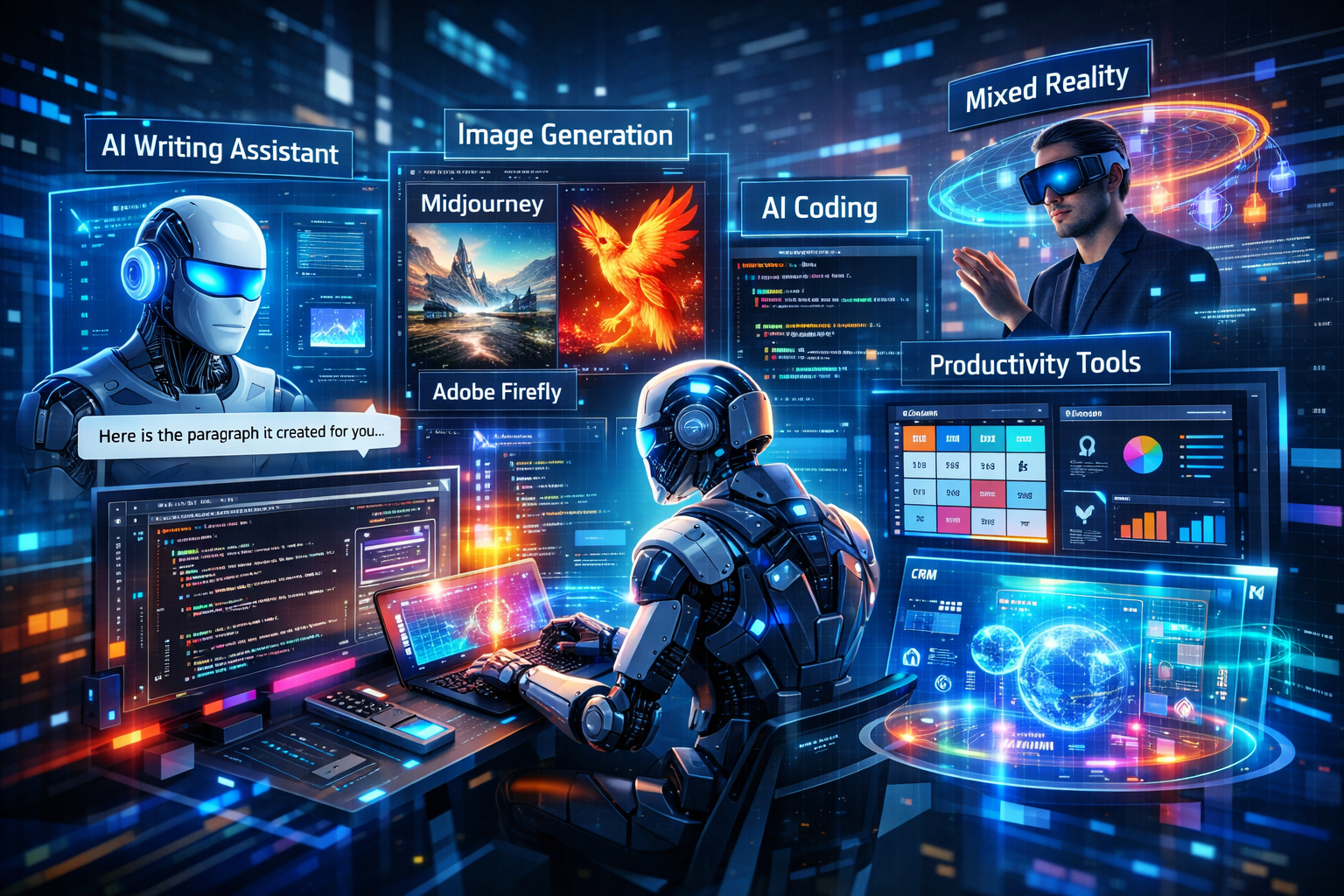
AI tools are advancing faster than ever. In 2026, startups and founders have a wide array of powerful AI platforms at their fingertips. These tools range from general-purpose AI assistants to specialized creativity, coding, and analytics tools. Below we break down the leading AI tools by category, compare features and use cases, and give recommendations for founders. All claims are supported by recent sources.
AI Assistants and Chatbots
Modern AI assistants can handle text, images, audio, and even video. The top contenders in this space are general-purpose chatbots that integrate into everyday workflows:
- ChatGPT (OpenAI): ChatGPT remains a top AI assistant. In late 2025 OpenAI released GPT‑5.1 (Instant and Thinking variants) with far faster, more natural conversation and better problem-solving. It now supports multimodal inputs (text, images, audio, video via Sora) and real-time voice chat. Startups use ChatGPT for drafting content, customer chatbots, coding help, and research. It has hundreds of millions of users weekly (800M+ by late 2025) and flexible pricing (free tier up to 4,000 words, then Pro at $20/month). Use cases: versatile assistant for writing, brainstorming, code help, summarising documents, and even generating images (via DALL·E).
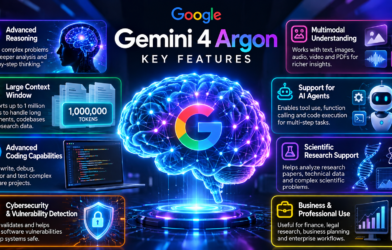
- Google Gemini: Google’s Gemini (formerly “Bard”) is Google’s multimodal AI. Gemini 2.0 (late 2024) and subsequent 2.x models offer strong integration with Google Workspace (Gmail, Docs, Sheets). It can handle text, images, and voice, and it cross-checks answers with Google Search for accuracy. For example, Gemini can pull data from your Gmail/Docs, draft emails, plan calendars, and analyse images. It excels at tasks requiring up-to-date facts or multimedia (images/audio prompts). Use cases: founders embedded in Google’s ecosystem will find Gemini invaluable for summarising emails, generating content, data lookup, and even image prompts.
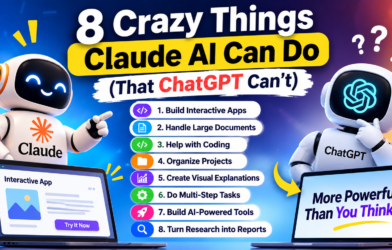
- Claude (Anthropic): Anthropic’s Claude is an AI assistant built with safety and reasoning in mind. The latest models (Sonnet 4.5 and Opus 4.5 in 2025) are state-of-the-art at coding and complex tasks. Claude Sonnet 4.5 is “the best coding model in the world” and excels at multi-step reasoning, while Opus 4.5 adds long-context understanding and Excel integration for finance use cases. Claude is less likely to produce unsafe content. It’s used for brainstorming, drafting long documents, coding help, and domain-specific analysis (e.g. legal or financial). Use cases: teams that need a powerful helper for writing long reports, spreadsheets or code can rely on Claude’s deep reasoning. Many enterprises access Claude via Azure after Microsoft’s 2025 partnership.
Recommendations for founders: For general AI tasks, ChatGPT (GPT-5.1) or Gemini 2.x are excellent and widely accessible. Claude is ideal if you need advanced reasoning and coding with strict safety. If your workflow is tied to Google tools, Gemini is a natural choice, whereas ChatGPT/Copilot integrations fit Microsoft/third-party stacks better.
Coding and Developer Tools
AI coding assistants boost developer productivity dramatically. Key tools include:
- GitHub Copilot (Microsoft): Copilot, built on OpenAI/GitHub models, auto-completes code and even writes functions for you. By 2025 it evolved into an agentic coding assistant with an “auto model selection” and “Plan Mode” for planning multi-step code changes. Over 1.3 million developers use Copilot, reporting ~30–55% productivity gains. It now supports multiple models (GPT-5.1, Claude, Gemini) behind the scenes. Use cases: Copilot is best for writing, refactoring, and reviewing code. It can fix bugs, generate documentation, and even run plan-based coding sessions.
- Microsoft 365 and GitHub Copilot: Microsoft’s Copilot ecosystem brings AI into Word, Excel, PowerPoint, Outlook, Teams, and GitHub. In late 2025 Microsoft announced that Azure customers could use Anthropic’s Claude models in Microsoft Foundry and Copilot products. For example, Excel Copilot can analyze data and write formulas in natural language. Use cases: non-developer founders benefit when Copilot writes and analyses documents or spreadsheets, and DevOps teams use it for code generation across Microsoft’s cloud.
- Amazon CodeWhisperer: AWS’s CodeWhisperer (not detailed above) is another AI code assistant integrated with AWS services and IDEs, focusing on cloud development. It provides security scanning and supports multiple languages. Use cases: Founders building on AWS might use CodeWhisperer for secure code snippets.
- Other coding aids: Open-source models (like Meta’s LLaMA or Mistral), integrated in IDEs (Tabnine, Replit Ghostwriter, etc.), are useful but generally serve niche or self-hosted scenarios.
Recommendation: For most teams, GitHub Copilot or Microsoft Copilot (which can use ChatGPT/Gemini/Claude under the hood) are the go-to coding tools for 2026. They greatly accelerate development and integrate with existing workflows.
Writing and Content Creation
Content is king for marketing and communication. AI writing assistants help create blogs, ads, pitches, etc.:
- Grammarly: Grammarly remains the gold standard for writing quality. Its business version uses AI to not only fix grammar but also enforce brand style guides and tone. In 2025 it added style guide enforcement and AI-powered rewriting. It checks clarity, tone, vocabulary, and even flags likely AI-generated text. Over 70,000 teams use Grammarly Business. Use cases: polishing emails, reports, and marketing copy to be error-free and on-brand.
- Jasper AI: Jasper specializes in marketing and long-form content. In 2025 it introduced “brand intelligence” to learn your company’s voice from your content. It is used by 100,000+ businesses, generating ~1.5 billion words per month. Jasper supports blog posts, ad copy, social media, and email. Use cases: marketing teams use Jasper to scale content creation 5× faster (per Jasper data) while maintaining brand voice.
- Copy.ai: Similar to Jasper, Copy.ai focuses on sales and marketing copy. It can generate email sequences, product descriptions, ad copy, and more, with templates and A/B testing built in. It has features for brand voice and workflow automation. Use cases: startups use Copy.ai for quick landing pages, ad creative, and sales emails with consistent messaging.
- Notion AI: Built into Notion, this AI adds content generation and summarization to docs and wikis. It can draft meeting notes, project outlines, or summarize research. Use cases: teams using Notion for project management find it handy for auto-generating task lists or condensing notes.
- HubSpot AI: HubSpot’s platform (often called ChatSpot) uses AI in its CRM for marketing/sales. It generates blog/social content, scores leads, builds chatbots, and does predictive analytics. Over 194,000 customers use it to improve conversion rates. Use cases: growing startups automate their marketing emails, social posts and use ChatSpot for quick CRM queries.
Recommendation: For day-to-day writing, Grammarly is a must-have for error-free, on-brand text. For creative marketing content, Jasper or Copy.ai offer templates and brand consistency. If you use Notion or HubSpot already, their built-in AI assistants are convenient add-ons.
Design and Creative Tools
AI now empowers designers and non-designers alike:
- Image Generation (Midjourney / DALL·E / Stable Diffusion): Midjourney’s V7 (released April 2025) generates highly detailed, photorealistic images up to 8K resolution. It excels at artistic and concept images. DALL·E (OpenAI) and Stable Diffusion (open source) are also popular. Canva’s Magic Studio adds AI-driven text-to-image and background removal, along with brand kit management. Use cases: Marketing materials, social posts, ad creatives, product mockups. Midjourney or Stable Diffusion for high-end art; Canva AI for quick graphics by non-designers.
- Graphic Design (Canva AI): Canva’s AI tools (Magic Write, text-to-image, background remover) democratize design. It has 135 million monthly users and maintains consistent brand visuals with saved color schemes and logos. Use cases: Fast creation of presentations, social media graphics, and simple videos (Canva also has video editing). Ideal for founders who need decent design without hiring a pro.
- Video Generation & Editing:
- Synthesia lets you create AI videos with virtual presenters. In 2025 it released “Express-2” avatars with natural gestures, faces, and full-body actions. Over 1M users create videos in 160+ languages, saving >80% on production costs. Use cases: Training demos, product explainers, marketing videos without cameras.
- Runway ML offers text-to-video (Gen-2) and advanced editing (green screen, motion tracking). It’s used by creatives and agencies for high-quality videos with special effects. Use cases: Short promotional or conceptual videos where shooting footage is hard.
- Descript is a text-based audio/video editor. Edit spoken-word by editing the transcript; it can remove filler words, clone voices, and apply audio fixes. Use cases: Podcast editing, training videos, marketing clips.
- Other Creative Tools:
- Otter.ai and Loom help capture and share video/audio content. Otter automatically transcribes meetings (95%+ accuracy) and generates notes. Loom records your screen with AI-generated summaries and chapters. Founders often use Loom for quick demos or Otter for meeting minutes.
- ElevenLabs (AI voice) and Mubert (AI music) (not detailed above) can generate voiceovers and background music.
Recommendation: For imagery, Midjourney or similar high-end models produce the most striking art; Canva is excellent for on-brand business graphics. For video, Synthesia and Runway are leading tools: use Synthesia for talking-head videos (presenter-style) and Runway for cinematic or special-effects clips. Descript and Loom are great for internal comms and webinars.
Productivity and Workflow Automation
AI-driven automation tools can save huge amounts of time:
- Zapier AI (Zapier): Zapier’s AI workflow builder connects 6,000+ apps. In 2025 it added AI-powered workflow suggestions: you describe what you need and Zapier builds automations for you. 2.2 million businesses use Zapier to sync data and automate tasks. Use cases: Automate lead capture (e.g. “when I get a new email, add the contact to CRM”), social posting, reporting, etc. AI helps even non-coders set up complex “If this, then that” logic.
- Activepieces: (peer to Zapier) an AI-native automation platform with 600+ integrations (OpenAI, Slack, CRM, etc.). It lets you build both no-code flows and custom TypeScript actions. It includes an “AI Copilot” to guide workflow creation. Use cases: Startups that need internal automation but want more flexibility than Zapier.
- Notion AI / Coda / Airtable: Beyond writing content, these workspace tools now include AI for task management, database queries, and scheduling. Notion AI, for example, can auto-fill databases and answer queries in plain English.
- CRM and Sales Automation: HubSpot AI (see above) and Salesforce Einstein embedded in Tableau provide AI-powered customer insights. Tableau with Einstein lets users ask data questions in natural language (predictive forecasting, anomaly detection). Use cases: Founders can run charts by asking questions or automate lead scoring in the CRM.
- Meeting and Research: Tools like Otter.ai (transcription), Fireflies.ai (similar), and Supernormal (AI meeting notes) reduce admin overhead by capturing and summarizing meetings. AI search tools like Perplexity AI combine web search with an LLM to give cited answers, so you can fact-check quickly. Use cases: Quickly extract insights from market research or competitor data without manual searching.
Recommendation: Consider a workflow automation tool (Zapier, Activepieces) to streamline repetitive tasks across your stack. For CRM/analytics, use integrated AI (HubSpot, Salesforce) to boost sales and insights. Don’t ignore AI note-takers (Otter, Loom) to ensure no knowledge is lost in meetings.
Data and Research Tools
AI is also transforming data analysis and research:
- Perplexity AI: Described as an “AI-powered search assistant,” Perplexity queries multiple sources and provides answers with citations. It has an API and can ingest files, making it great for in-depth reports. Use cases: Market research, competitive analysis, fact-checking. If founders need quick data from public info or internal docs, Perplexity can automate it.
- Notion/Workspace AI: Many collaboration tools now allow querying your own data. For example, you can ask Notion AI “What are my top tasks for this week?” or Google Gemini in Workspace “Summarize last month’s sales data.”
- BI Tools with AI: As noted, Tableau+Einstein lets non-technical users ask questions of their data. Similarly, Microsoft Power BI has Copilot features to visualize data from simple prompts. Use cases: Founders can interrogate financial or user data without writing SQL or hiring analysts.
- Open-Source Models: For teams with data science expertise, open models like Mistral 3 (open source, released Dec 2025) offer powerful free alternatives. Mistral 3’s Large model (41B parameters) matches or exceeds other open models and supports multimodal tasks. It’s available on AWS Bedrock, Azure Foundry, Hugging Face, etc.. Use cases: Companies building their own AI agents or chatbots can fine-tune these models.
Recommendation: Use AI-augmented search (Perplexity, Bard) to quickly gather insights and cite sources. For internal data, leverage BI tools’ natural-language AI (Tableau Einstein, Power BI Copilot). Technical teams should evaluate open models (Llama 3, Mistral) via cloud APIs if custom AI is needed.
Summary of Recommendations
In summary, the best AI tools for 2026 depend on your startup’s needs:
- General-purpose AI: ChatGPT (OpenAI) is the all-rounder assistant (writing, coding, image gen). Google Gemini excels if you use Google Workspace. Claude is best for safety-critical tasks and heavy reasoning.
- Coding: Use GitHub Copilot or Microsoft Copilot to auto-complete and debug code. These integrate ChatGPT, Gemini and Claude as backends.
- Content Writing: Use Grammarly for edits, Jasper/Copy.ai for marketing copy, and Notion AI/HubSpot AI if you’re already on those platforms.
- Design/Media: For high-end images, Midjourney (V7) leads, while Canva AI is perfect for non-designers. For video, Synthesia and Runway are top picks.
- Automation: Tools like Zapier AI or Activepieces can automate endless workflows using AI logic. Use Perplexity or Gemini for quick research.
- Enterprise AI: If you’re deep in a cloud ecosystem, leverage integrated AI: Copilot in Microsoft 365, Einstein in Salesforce/Tableau, or Gemini in Google Cloud.
Each tool has strengths and trade-offs, but the above are widely regarded as leaders in 2026. Founders should pick tools that fit their workflow: e.g., if you rely on Google apps, Gemini and Activepieces (which integrates Google AI) make sense; if you use Microsoft/Azure, ChatGPT (via Azure) and Microsoft Copilot excel; for content marketing, Jasper/Canva/Zapier combination is a winning stack.
By strategically adopting the right AI tools, startups can scale operations, improve quality, and focus their teams on core innovation rather than repetitive tasks.
Citations
Key references used above include official announcements and recent analyses of AI tools for 2025–2026. For example, OpenAI’s release notes confirm ChatGPT’s GPT-5.1 launch; Anthropic’s blog details Claude Sonnet/Opus 4.5; Google’s blog introduces Gemini 2.0; Microsoft’s blog covers the Copilot and Claude partnership. Tech sites and reports (TechRadar, etc.) were used for real-world usage data and comparisons. All information is drawn from these up-to-date sources.
Read More Blog-How AI Startup Edge Is Helping Businesses Grow Smarter