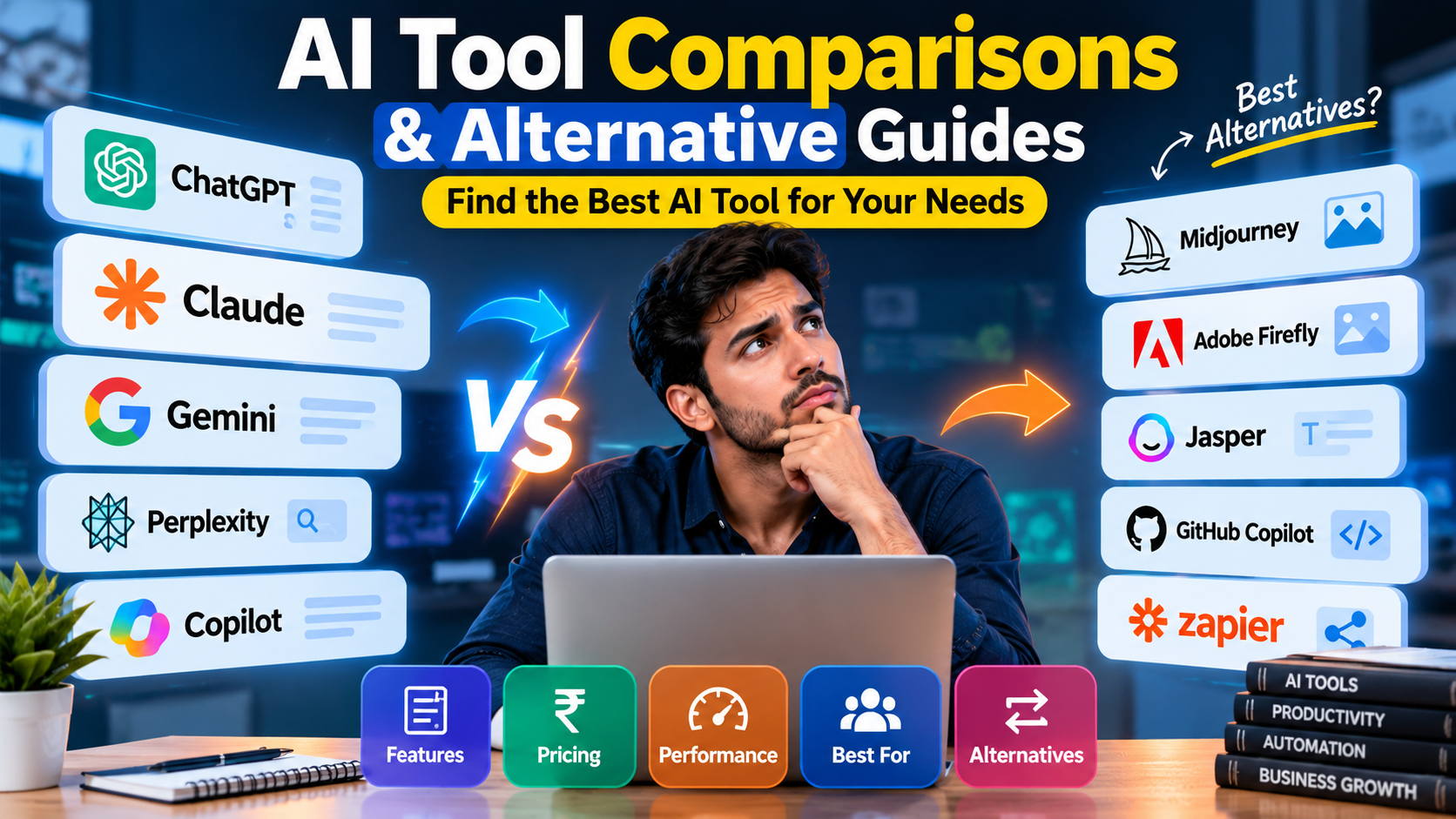
Artificial intelligence is changing the way people work, study, create content, and run businesses. Today, there are hundreds of AI tools that promise to save time, improve productivity, and make difficult tasks easier. Some tools can write articles, others can create images, analyze data, generate code, or automate daily business activities. But with so many options available, choosing the right AI tool can be confusing.
Many people sign up for expensive subscriptions without knowing whether a tool really meets their needs. Others continue using one AI platform even when a better or more affordable alternative is available. This is where AI tool comparisons and alternative guides become useful.
In this article, you will learn how to compare popular AI tools, discover useful alternatives, understand their advantages and limitations, and choose the right software for your goals. Whether you are a student, content creator, developer, freelancer, startup founder, or business owner, this guide will help you make smarter decisions and get more value from artificial intelligence.
1. What Are AI Tool Comparisons and Alternative Guides?
AI tool comparisons are articles or resources that examine two or more artificial intelligence tools and explain how they differ. They help readers understand which tool offers the best features, ease of use, performance, and value for a particular task.
An AI alternative guide focuses on other tools that can perform similar work. For example, someone using ChatGPT might want to explore Claude, Google Gemini, or another AI assistant. A person creating marketing images might compare different image-generation platforms before choosing one.
These guides are useful because the most popular tool is not always the best choice for everyone. A free platform may be enough for a student, while a marketing agency may need advanced features, team access, and reliable workflows.
A useful comparison should explain:
- What each AI tool does.
- Which users can benefit from it.
- What features are available.
- Whether a free plan exists.
- What limitations users should know.
- Which alternatives are worth considering.
- How the tools perform in real-world tasks.
The main goal is to help readers choose software based on their needs instead of marketing claims alone.
2. Why Are AI Tool Comparison Articles Becoming Important?
The AI market is growing quickly. New tools, features, subscriptions, and automation platforms appear regularly. This creates more opportunities but also makes it harder to decide which tools deserve attention.
AI comparison articles help solve this problem by organizing information in a simple and practical way.
They help people save money
Many AI tools offer paid plans with different limits and features. A person who only needs occasional writing help may not need an expensive subscription. Comparing alternatives can reveal free plans or lower-cost options that provide enough functionality.
They reduce the time needed for research
Testing ten different AI tools can take hours or days. A well-researched comparison gives readers a starting point and helps them create a shortlist of suitable options.
They improve productivity
Different tools are designed for different jobs. One may be excellent at writing, while another may be better for research, coding, image generation, or workflow automation. Choosing the right tool can reduce manual work.
They help businesses make better decisions
Businesses need to consider security, team collaboration, integration, reliability, and operating costs. A comparison guide helps decision-makers evaluate these factors before introducing a tool into their workflow.
They make new technology easier to understand
Not everyone understands technical terms such as large language models, AI agents, API integrations, or multimodal AI. A simple comparison explains what the tools can do without requiring advanced technical knowledge.
3. Best AI Tools to Compare in 2026
There is no single AI platform that is best for every task. The right choice depends on what you want to achieve, your budget, your existing software, and the level of control you need.
The following platforms are useful starting points for an AI software comparison. Their features, pricing, and plan limits may change, so check their official websites before subscribing.
1. ChatGPT
ChatGPT is a general-purpose AI assistant that can help with writing, brainstorming, learning, coding, data analysis, and working with supported files and images. It is a useful starting point for people who want one platform for several tasks.
Best for: General productivity, content creation, learning, and business assistance.
Limitation: Its output can contain mistakes, and access to advanced capabilities depends on the plan and available features.
Website: ChatGPT
2. Claude
Claude is an AI assistant known for its writing, coding, reasoning, and work with lengthy documents. It can be useful for people who need to review complex material or develop detailed drafts.
Best for: Long-form writing, document analysis, coding, and structured reasoning.
Limitation: Usage limits and available features depend on the plan. Its answers still require fact-checking.
Website: Claude
3. Google Gemini
Gemini can assist with writing, research, problem-solving, and supported tasks across Google’s AI ecosystem. Its integration with eligible Google services can be useful for people already working with those products.
Best for: General AI assistance and workflows connected to supported Google services.
Limitation: Features and integrations vary by account, region, subscription, and product settings.
Website: Google Gemini
4. Perplexity
Perplexity focuses on answering questions using web research and providing sources. It can help users explore a subject, discover relevant references, and investigate unfamiliar topics.
Best for: Initial research, source discovery, and finding current information.
Limitation: Sources still need to be checked for accuracy, relevance, and publication date. A citation does not automatically prove that a claim is correct.
Website: Perplexity
5. Microsoft Copilot
Microsoft Copilot provides AI assistance for tasks such as drafting, summarizing, brainstorming, and working within supported Microsoft products.
Best for: Microsoft-centered work environments and everyday productivity.
Limitation: Advanced Microsoft 365 integrations and organizational features may require eligible licenses.
Website: Microsoft Copilot
These tools overlap in several areas, but they should not be treated as identical. A fair comparison requires testing the same tasks, reviewing the current plans, and checking the features that matter to the intended user.
4. ChatGPT vs Claude vs Gemini: Which AI Assistant Should You Choose?
AI assistant comparisons are popular because these platforms can help with many everyday tasks. However, their usefulness depends on the specific job rather than their overall reputation.
| Comparison factor | ChatGPT | Claude | Gemini |
|---|---|---|---|
| General assistance | Broad range of tasks | Broad range of tasks | Broad range of tasks |
| Long documents | Useful with supported inputs and limits | Useful with supported inputs and limits | Useful with supported inputs and limits |
| Writing | Drafting, editing, and brainstorming | Drafting, editing, and analysis | Drafting, editing, and brainstorming |
| Coding | Coding help and debugging | Coding help and debugging | Coding help and debugging |
| Ecosystem | OpenAI tools and supported integrations | Anthropic tools and supported integrations | Google ecosystem and supported integrations |
| Best selection method | Test your actual workflow | Test your actual workflow | Test your actual workflow |
Which assistant is best for content writing?
For blog writing, SEO content, social media posts, and email drafts, compare the quality of the first draft, readability, editing effort, and ability to follow instructions.
A good writing assistant should understand the intended audience, use natural language, organize the content properly, and avoid unsupported claims. Do not judge the tool only by how quickly it generates text.
Which assistant is best for research?
For research, check whether the tool can access current sources when needed, show useful citations, distinguish facts from assumptions, and summarize information accurately.
An AI assistant without live web access may still be useful for explaining established concepts, but it should not be treated as a reliable source for breaking news or current pricing.
Which assistant is best for coding?
For coding, test each assistant on the programming language and project you actually use. Ask it to explain existing code, find a bug, write a small function, and suggest tests.
The best result is not necessarily the longest code. It is code that works, is understandable, and fits the project’s requirements.
Practical recommendation: Test two or three assistants on the same real task before paying for a subscription. This gives you a more meaningful comparison than relying on general rankings.
5. Best AI Writing Tools and Their Alternatives
AI writing tools help users prepare blog posts, marketing copy, product descriptions, emails, advertisements, and social media content. Some are general-purpose assistants, while others focus on business writing or marketing workflows.
Popular tools to evaluate include ChatGPT, Claude, Jasper, and Grammarly.
Jasper
Jasper focuses on marketing content and brand-oriented writing workflows. It may suit marketing teams that need repeatable content processes and consistent messaging.
Alternative to evaluate: General-purpose AI assistants for flexible, lower-complexity writing tasks.
Grammarly
Grammarly focuses on writing improvement, grammar, clarity, and tone, with additional AI writing features depending on the product and plan.
Alternative to evaluate: Built-in spellcheckers and AI assistants with editing capabilities.
Before selecting a writing tool, consider the following factors.
- Writing quality: Does it produce clear, natural, useful content?
- Editing features: Can it improve grammar, readability, and tone?
- Brand voice: Can it follow your preferred style and terminology?
- SEO support: Does it help with search intent, headings, keyword placement, and content structure?
- Workflow: Can it fit into your publishing process?
- Cost: Is the time saved worth the subscription?
For SEO blog writing, no AI tool can guarantee rankings. Search performance also depends on search intent, helpfulness, originality, competition, website quality, and other factors. Human review and fact-checking remain important.
6. Best AI Image Generators and Alternatives
AI image generators turn text instructions into visual content. They are useful for featured images, advertisements, social media creatives, concept art, product mockups, and marketing campaigns.
Three options worth comparing are OpenAI image generation, Midjourney, and Adobe Firefly.
Midjourney
Often considered for artistic images, stylized concepts, and visually detailed creative work. Compare its results against your own requirements for realism, composition, and consistency.
Adobe Firefly
Useful for creative workflows connected to Adobe’s ecosystem. Review the available editing features, commercial-use terms, and integration requirements for your plan.
When comparing AI image generators, look beyond how attractive the first image appears. A professional creator may need accurate layouts, readable text, consistent branding, image editing, and specific aspect ratios.
Evaluate these features:
- Image quality and realism.
- Ability to follow detailed prompts.
- Text rendering inside images.
- Editing and image variation tools.
- Output resolution and aspect ratios.
- Commercial-use terms and content restrictions.
- Cost per useful image.
For example, a business creating Instagram posts may prefer a tool that supports square formats and reliable text placement. A website publisher may care more about landscape images, visual storytelling, and consistent featured-image quality.
Always check licensing and usage terms before using generated images in commercial projects.
7. Best AI Coding Tools and Alternatives
AI coding tools help developers write functions, explain unfamiliar code, detect errors, generate tests, and complete repetitive programming tasks. They can also help beginners understand basic programming concepts.
Some widely known options include GitHub Copilot, Cursor, and general-purpose assistants such as ChatGPT and Claude.
GitHub Copilot
An AI coding assistant designed to support coding workflows in supported development environments. It can help with code suggestions, explanations, and related programming tasks.
Cursor
An AI-focused code editor that can help developers work with project files and make code changes using supported features.
Choosing the right coding assistant requires more than comparing code-generation speed. A tool should fit your programming environment, understand enough project context, and make it easy to review proposed changes.
Consider the following factors before choosing a coding assistant.
- Language support: Check support for your main programming languages.
- Project context: Determine how well it handles multiple files and existing code.
- Debugging: Test whether it can identify the cause of real errors.
- Code review: Check whether its suggestions are clear and easy to inspect.
- Privacy: Review how your code and prompts are handled.
- Integration: Make sure it works with your editor, repository, and development process.
AI-generated code can introduce security vulnerabilities, incorrect assumptions, or bugs. Test all important changes, review dependencies, and avoid sharing confidential code with a service unless its data-handling terms meet your requirements.
8. Best AI Research and Search Tools
AI search tools help users explore topics, summarize sources, and discover information from the web. They can be useful for students, bloggers, analysts, journalists, and business owners.
Perplexity, ChatGPT with supported search features, and Google Gemini with supported research capabilities are possible options to compare. Traditional search engines also remain useful because they let users inspect source pages directly.
The best research tool depends on the question being asked. Someone researching a basic concept may need a clear explanation, while someone investigating a recent regulation may need current primary sources.
For reliable research, compare these features.
- Source quality: Does the tool use trustworthy, relevant sources?
- Freshness: Can it find information published recently?
- Citations: Can you open and verify the sources?
- Synthesis: Does it explain how sources agree or disagree?
- Transparency: Does it identify uncertainty and missing evidence?
- Export options: Can you save notes or findings in a useful format?
A strong research process does not end when an AI tool produces an answer. Open the original sources, check important facts, compare dates, and make sure the evidence actually supports the conclusion.
For business and SEO research, this is especially important when working with statistics, pricing, product specifications, market trends, or legal requirements.
9. Best AI Automation Tools and Alternatives
AI automation tools help businesses connect applications, move information between systems, and reduce repetitive work. Instead of manually completing every step, users can create workflows that respond to events and perform supported actions automatically.
This category is especially useful for startups, marketing agencies, online stores, customer support teams, and small businesses.

n8n
n8n supports visual workflows and integrations, with options for building AI-powered processes. It can suit users who want more control over workflow logic and deployment.

Zapier
Zapier helps connect supported apps and automate tasks through workflows. It can be useful for people who want to link everyday business tools without building an entire custom application.

Make
Make provides a visual way to connect applications and design workflows. It is worth considering when a process needs several steps, conditions, or data transformations.
For example, a marketing agency might automate the process of collecting customer enquiries, adding details to a spreadsheet or CRM, preparing a draft response, and notifying a team member.
Before selecting an automation platform, compare the number of supported integrations, workflow complexity, execution limits, debugging tools, data security, and total cost.
Start with a small workflow. Test what happens when an application is unavailable, information is missing, or an AI model returns an unexpected answer. Keep human approval for sensitive actions, such as sending important customer messages or changing financial records.
10. Free AI Tools vs Paid AI Tools: Which Is Better?
Free AI tools are attractive to students, freelancers, and new businesses because they make it possible to test AI without making a financial commitment. Paid plans can offer additional capacity, advanced features, collaboration options, or access to more capable models.
However, a paid subscription is not automatically better for every user.
| Factor | Free AI tools | Paid AI tools |
|---|---|---|
| Cost | Usually no subscription fee | Recurring or usage-based cost may apply |
| Usage limits | Often more restricted | May offer higher limits |
| Advanced features | May be limited | May include additional capabilities |
| Team management | Often limited | May include business features |
| Support | Varies | May offer additional support |
| Best for | Testing and occasional tasks | Regular or specialized workflows |
The exact differences vary by platform. Some free tools are highly capable, while some paid plans may still have usage limits.
When should you use a free AI tool?
A free plan can be enough when you need occasional writing help, simple explanations, brainstorming, or basic content ideas. It is also useful for comparing platforms before committing to a subscription.
When is a paid AI tool worth it?
A paid plan may be worthwhile when you regularly reach usage limits, need specific advanced capabilities, or can save enough working time to justify the cost.
Use a simple calculation to estimate its value:
\[ \text{Net monthly value} = \text{Time saved value} – \text{Monthly cost} \]
For example, if a tool saves five hours each month and your working time is worth ₹500 per hour, the estimated time value is ₹2,500. If the subscription costs ₹1,500, the estimated net value is ₹1,000 per month, before considering other costs and benefits.
This is only an estimate. Time saved is valuable when it can be used productively, and the tool must produce work of acceptable quality.
11. How to Compare AI Tools Step by Step
Choosing an AI platform becomes easier when you follow a repeatable process. Rather than subscribing to every popular product, identify your needs first and test a small number of suitable alternatives.
Step 1: Define your main goal
Write down the task you want AI to help with. Examples include writing blog posts, designing social media graphics, analyzing spreadsheets, answering customer questions, or generating code. A clear goal makes the comparison more useful.
Step 2: Choose your evaluation criteria
Select the features that matter most, such as quality, price, speed, ease of use, integrations, privacy, and export options. Do not give equal importance to every feature if some are irrelevant to your work.
Step 3: Test the same task in every tool
Give each platform the same instructions and comparable inputs. For writing, use the same brief. For coding, use the same bug. For research, investigate the same question. This reduces the chance of choosing a tool simply because it received an easier task.
Step 4: Check the output quality
Review accuracy, completeness, usefulness, and the amount of editing required. For factual tasks, verify important claims. For creative tasks, check whether the result matches your brief.
Step 5: Calculate the total cost
Include subscriptions, usage fees, extra software, setup time, and maintenance. A tool with a low starting price may become expensive when usage increases.
Step 6: Choose the best fit and review it later
Select the platform that performs well on your most important tasks. Reassess your decision when your workload, budget, or software requirements change.
12. Use This AI Tool Comparison Scorecard
A scorecard helps you compare AI tools using the same standards. It is particularly useful when a business is choosing software for several team members.
The following interactive scorecard lets you rate a tool from 1 to 5 across five important factors. Enter your own scores based on your testing rather than assuming that any tool has already earned a particular rating.
13. Common Mistakes to Avoid When Choosing AI Software
Even a detailed AI comparison can lead to the wrong decision if the evaluation process is weak. Avoid these common mistakes to make your research more useful.
Choosing based only on popularity
A widely discussed AI tool may not be the best choice for your particular task. Popularity is a starting point for research, not proof of quality.
Trusting every AI-generated answer
AI systems can generate incorrect information, misunderstand instructions, or provide outdated details. Verify important information before using it in business, research, or published content.
Comparing different tasks
If one tool receives a simple prompt and another receives a complex prompt, the comparison is unfair. Use the same instructions, inputs, and evaluation criteria whenever possible.
Ignoring hidden costs
Consider usage limits, additional credits, integration fees, implementation time, and maintenance. Look at the total cost of using the tool rather than only its advertised entry-level price.
Overlooking privacy and security
Do not upload confidential business records, customer information, passwords, or sensitive documents without checking the platform’s data practices and your organization’s rules.
Expecting AI to work without human review
AI can make work faster, but it does not remove the need for judgment. Review important outputs, test code, check factual claims, and obtain human approval for sensitive decisions.
14. How to Find the Best AI Tool Alternatives for Your Needs
Finding alternatives should begin with the problem you need to solve. Searching only for the most popular competitor can cause you to miss simpler or more suitable options.
Start by identifying the features you cannot compromise on. These might include a free plan, a specific integration, support for your language, the ability to work with long documents, or a particular image format.
Next, search for products that meet those requirements. Read current official documentation, review independent testing where available, and look for real user experiences. Give greater weight to evidence that reflects your own use case.
It also helps to distinguish between direct alternatives and complementary tools.
- Direct alternatives perform similar tasks and can potentially replace one another.
- Complementary tools perform different tasks that work well together.
- Specialized tools focus on a narrower use case and may provide more relevant features.
- Open-source alternatives may offer more control, but can require additional setup and maintenance.
For example, a blogger may use a general AI assistant for outlining, a research tool for discovering sources, and a separate image generator for featured visuals. There is no need to force every task into one platform if a small combination of tools produces better results at a reasonable cost.
The best AI tool stack is the one that makes your workflow easier without introducing unnecessary subscriptions, complexity, or security risks.
15. AI Tool Comparison Trends to Watch in 2026
AI software is evolving, and the features that matter today may change over time. When evaluating tools in 2026, consider not only their current capabilities but also how they fit into your future workflow.
AI agents and task automation
AI agents can be designed to perform multi-step tasks, use supported tools, and work toward a defined goal. When comparing agent platforms, evaluate reliability, permissions, monitoring, error handling, and the ability to request human approval.
Multimodal AI
Multimodal systems can work with different forms of input or output, such as text, images, audio, and video, depending on the platform. This can make one tool useful for several creative or analytical tasks.
AI integration with existing software
Tools that work with your current office applications, website, CRM, or development environment may be easier to adopt than standalone products. Always verify which integrations are actually supported by your chosen plan.
Data privacy and governance
Businesses increasingly need clear rules for handling data, controlling access, and reviewing AI-generated work. Privacy and governance should be central selection criteria, not features considered only after a problem occurs.
Smaller and specialized AI models
Not every task needs the most powerful or expensive model. Smaller or specialized models may be suitable for focused jobs when they meet the required standards for quality, latency, cost, and privacy.
These trends make regular AI tool comparisons important. However, do not switch platforms simply because a new feature is announced. Test whether the change provides a measurable benefit to your work.
16. How AI Tool Comparison Guides Help With SEO and Content Marketing
AI tool comparisons can also be valuable for website owners and digital marketers. People often search for product comparisons when they are trying to solve a problem, replace a tool, or decide whether to purchase a subscription.
A well-written comparison article can answer these questions and help readers make informed decisions.
To create useful content for search engines and readers, follow these practices.
- Target clear search intent: Focus on a specific question, such as comparing AI writing tools for small businesses, rather than trying to cover every product in one page.
- Use natural keywords: Include relevant terms such as AI tool comparisons, AI software alternatives, and best AI tools where they fit the discussion.
- Provide original analysis: Explain how the tools differ and what those differences mean for a real user.
- Use transparent tables: Show meaningful criteria and explain limitations instead of making unsupported claims that one tool is the best.
- Include current information: Verify pricing, plan limits, features, and availability before publishing or updating the article.
- Add helpful internal links: Link to related guides about AI agents, automation, writing tools, coding assistants, and image generators when those pages provide additional value.
- Keep content updated: Recheck key facts when products change. Add a visible update date when appropriate, and avoid implying that a review is current if it has not been rechecked.
For a site such as AI Startup Edge, this topic can support a broader content strategy around AI software reviews, startup tools, automation platforms, and practical AI tutorials.
However, adding keywords alone will not guarantee rankings. The article must provide reliable information, a useful comparison, clear explanations, and genuine value for readers.
17. Frequently Asked Questions (FAQs)
1. What are AI tool comparisons?
AI tool comparisons are guides that evaluate different artificial intelligence platforms based on their features, performance, cost, usability, and suitability for specific tasks. They help users select the right tool for their needs.
2. Which AI tool is best in 2026?
There is no single best AI tool for everyone. ChatGPT, Claude, and Gemini are useful general-purpose assistants, while specialized tools may be better for image creation, coding, research, or automation. The best option depends on your requirements and budget.
3. What are the best free AI tools?
Several platforms offer free access or free usage limits, including ChatGPT, Claude, Gemini, and Perplexity. Availability and limits can change, so check each platform’s official website for current details.
4. Is ChatGPT better than Claude?
Neither is universally better. Compare their writing quality, reasoning, coding support, document handling, usage limits, and performance on your actual tasks before choosing one.
5. What are the best ChatGPT alternatives?
Popular alternatives include Claude, Google Gemini, Microsoft Copilot, and Perplexity. Each has different strengths, so choose according to whether you need writing assistance, research, coding, or integration with existing software.
6. How do I choose the right AI tool for my business?
Identify your business needs, establish a budget, compare relevant features, test shortlisted tools, and review security requirements. Calculate the time saved and the total cost before making a final decision.
7. Are paid AI tools better than free AI tools?
Not always. Free plans can be sufficient for everyday tasks, while paid plans may provide higher limits or advanced capabilities. Choose a paid plan only when its additional value justifies the cost.
8. Which AI tools are best for content writing?
ChatGPT, Claude, and specialized marketing writing platforms such as Jasper are options to evaluate. Consider writing quality, editing requirements, brand consistency, workflow integration, and cost.
9. Which AI tool is best for creating images?
OpenAI’s image-generation tools, Midjourney, and Adobe Firefly are worth comparing. Evaluate prompt accuracy, visual quality, editing features, text rendering, output formats, and commercial-use terms.
10. Which AI coding assistant should developers use?
GitHub Copilot, Cursor, ChatGPT, and Claude are options for different coding workflows. Test them on your programming language, development environment, debugging tasks, and project requirements.
11. How can I compare AI tools accurately?
Use the same task, instructions, and inputs for each tool. Evaluate accuracy, output quality, ease of use, cost, privacy, and the amount of editing required. Verify factual results before relying on them.
12. Are AI tool comparison websites reliable?
They can be useful when they explain their testing methods, disclose limitations, use current information, and provide evidence for their conclusions. Be cautious of rankings based only on promotional claims or affiliate commissions.
13. What should I check before buying an AI subscription?
Review the current price, usage limits, available features, cancellation terms, privacy policy, integrations, and any additional fees. Test the free version or trial when available.
14. Can AI tool comparison articles help with SEO?
Yes. Useful comparison articles can answer search queries, attract relevant visitors, and connect readers with related content. However, rankings depend on overall content quality, search intent, competition, website authority, and other factors.
15. How often should AI tool comparison guides be updated?
Review them regularly and whenever a major product change affects the information. Check pricing, features, plan limits, integrations, and availability before making claims that a tool is still the best option.
16. Can I use multiple AI tools together?
Yes. You can combine tools for research, writing, image generation, coding, and automation. Choose a small set that works well together rather than paying for several platforms with overlapping features.
17. Are AI tools safe for business use?
They can be useful when deployed with suitable safeguards. Review data-handling policies, access controls, security features, and applicable legal requirements. Avoid sharing sensitive information without appropriate authorization and protection.
18. What is the difference between an AI tool and an AI agent?
An AI tool typically helps complete a particular task, such as writing text or generating an image. An AI agent can be designed to plan and perform multiple steps toward a goal using supported tools, subject to its permissions and limitations.
Conclusion
AI tool comparisons and alternative guides make it easier to understand a crowded AI software market. Whether you need a writing assistant, image generator, coding tool, research platform, or automation system, the right choice depends on the work you want to accomplish.
Instead of choosing a platform because it is popular, compare its features, test its performance, review its limitations, and calculate its total cost. Pay particular attention to accuracy, privacy, integrations, and the time required to review its output.
For individuals and businesses, the smartest approach is to start with a clear need, test a few suitable options, and select the tools that deliver genuine value. As AI technology continues to develop, regularly reviewing your software choices can help you stay productive without spending money on unnecessary subscriptions.