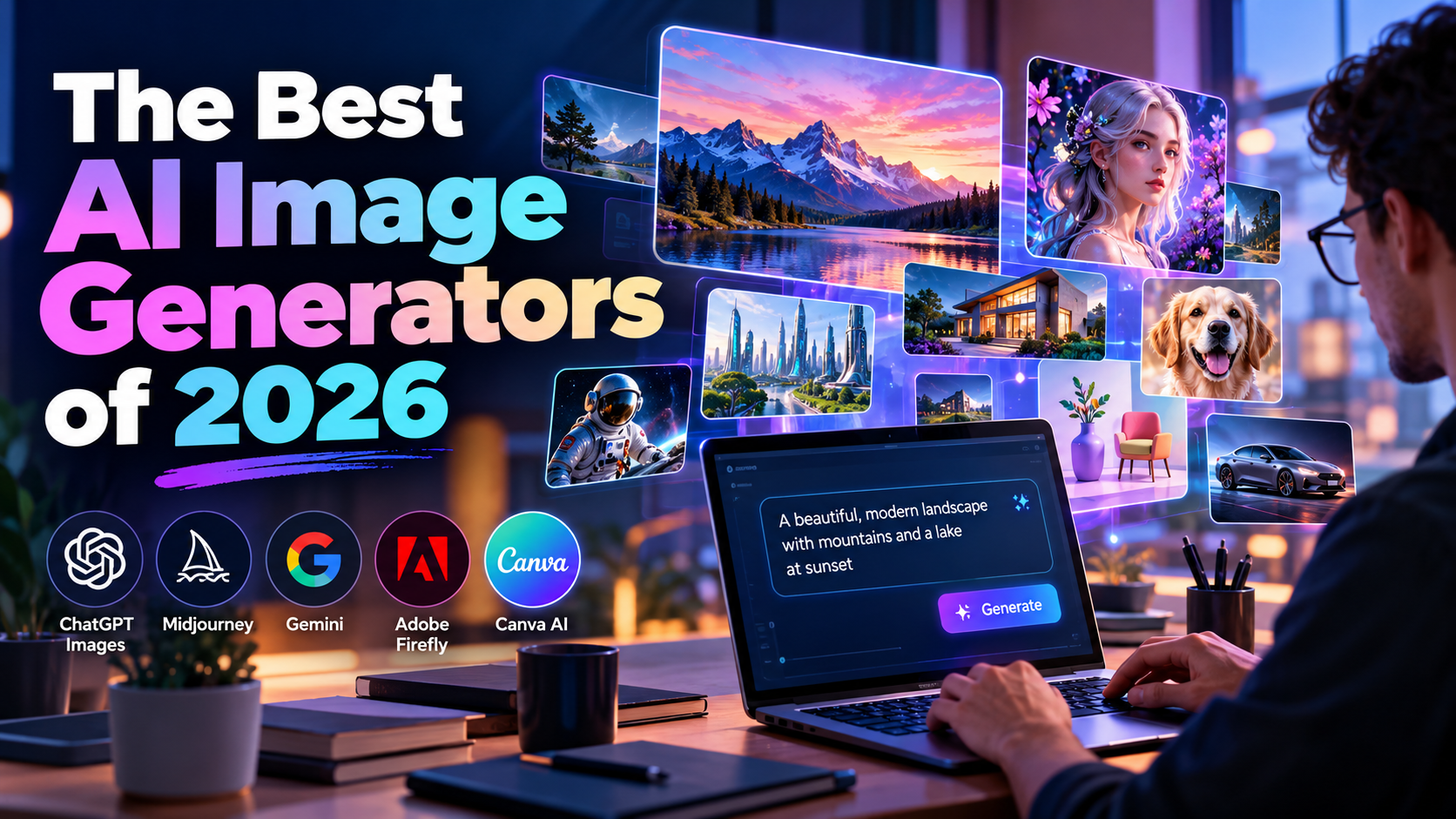
Creating beautiful images no longer requires expensive software or advanced design skills. In 2026, AI image generators make it possible for almost anyone to turn simple text descriptions into impressive pictures within seconds. Whether you are a blogger, business owner, digital marketer, student, designer, or content creator, these tools can help you create images for websites, social media posts, advertisements, presentations, and personal projects. However, choosing the right tool can be confusing because every AI image generator offers different features, image styles, editing options, and pricing plans. Some tools are better for realistic photographs, while others are useful for creative artwork, product images, marketing designs, or images containing text. In this guide, we will explore the best AI image generators of 2026, explain their main features, discuss their advantages and limitations, and help you choose the right option for your needs and budget.
This article uses practical selection criteria rather than assuming one tool is best for everyone. Features, free allowances, prices, and commercial-use terms can change, so always check the official website before choosing a paid plan.
What Is an AI Image Generator?
An AI image generator is a tool that uses artificial intelligence to create images from written instructions, reference pictures, or a combination of both. You describe what you want, and the tool creates an image based on your description.
For example, you can write, “Create a realistic picture of a modern office with glass walls, natural sunlight, and a professional business team.” The AI system processes your instructions and produces a visual result.
These tools are often called text-to-image generators, AI art generators, or AI picture generators. Some also allow you to upload an existing photograph and change its background, remove unwanted objects, add new elements, or create different versions of the same design.
AI image generation is useful for bloggers, startup founders, online sellers, marketing agencies, designers, and social media creators. It can reduce the time spent searching for stock photographs and help people explore creative ideas without advanced design skills.
The Best AI Image Generators of 2026: Quick Comparison
The following tools are selected for different needs, including realistic images, creative artwork, marketing graphics, text-based designs, and professional editing. There is no single winner for every task, so choose according to your requirements.
iTechGuides
+2
| AI image generator | Best for | Main advantage |
|---|---|---|
| ChatGPT Images | Everyday image creation | Conversational prompting and editing |
| Midjourney | Artistic images | Strong visual style and composition |
| Google Gemini | Image creation and editing | Useful within Google’s AI workflow |
| Adobe Firefly | Professional design | Integration with Adobe creative tools |
| Ideogram | Posters and typography | Designed for images containing text |
| Leonardo AI | Digital art and game assets | Broad creative controls |
| FLUX | Developers and advanced workflows | Model and integration options |
| Stable Diffusion | Custom image generation | Greater control over technical setup |
| Recraft | Brand graphics and vector-style artwork | Design-focused assets |
| Canva AI | Social media and marketing | Image creation within a design workflow |
Note: Features and access can differ by model, region, account, and subscription. Check each provider’s official website for current limits and terms.
1. ChatGPT Images — Best AI Image Generator for Everyday Use

ChatGPT Images is a useful starting point for people who want to create images without learning complicated design software. You can describe an image in everyday language and refine the result through follow-up instructions.
For example, you can request a featured image for an AI startup blog, a product mockup, a realistic business photograph, or a promotional visual for social media. You can also upload an existing image and explain which parts you want to change. Current ChatGPT image features include image creation and editing, with support for instructions involving text and backgrounds.
OpenAI Help Center
+1
Key features
- Creates images from written prompts.
- Supports editing of uploaded images.
- Allows users to request changes using ordinary language.
- Can create marketing visuals, illustrations, and product concepts.
- Helps users refine composition, colors, backgrounds, and other details.
Advantages: It is approachable for beginners and useful when image creation is part of a larger writing, brainstorming, or marketing task.
Limitations: Access limits depend on the plan and current product rules. Complex images may still contain errors, and exact layouts can require several attempts.
Best for: Bloggers, startup owners, digital marketers, students, and people who want an easy AI image creation experience.
Website: Create images with ChatGPT
2. Midjourney — Best for Artistic and Cinematic Images

Midjourney is well known for creating visually striking artwork. It is a strong option for people who want cinematic scenes, fantasy illustrations, concept art, editorial visuals, and creative mood boards.
A good prompt can produce dramatic lighting, interesting compositions, detailed environments, and a consistent visual mood. This makes Midjourney useful for designers who want to explore several creative directions before choosing a final concept.
However, the most beautiful image is not always the most practical one. A marketing poster may require accurate wording, a product image may need a specific shape, and a brand campaign may need a consistent layout. You should test these requirements rather than choosing a tool only because its sample images look impressive.
Key features
- Produces artistic and stylized images.
- Offers controls for creative direction and visual composition.
- Supports experimentation with different image styles.
- Helps create illustrations, concept art, and mood boards.
- Provides a dedicated platform for image creation.
Advantages: Excellent for creative exploration and images where visual impact is important.
Limitations: Beginners may need time to learn prompting and controls. Accurate text, strict product details, and exact layouts may require extra work.
Best for: Artists, creative agencies, designers, game developers, and people creating premium blog visuals.
Website: Explore Midjourney
3. Google Gemini — Best for Conversational Image Creation and Editing

Google Gemini is another option for creating and editing images through conversational instructions. Its image-generation capabilities and available models can change over time, so check the model currently offered in your account.
You can describe a scene, request variations, or ask for changes to an existing image. For example, a business owner could start with a product photograph and request a cleaner background, softer lighting, or a different setting.
Gemini can be especially convenient for people who already use Google’s AI products. Its usefulness depends on the model, account access, and the complexity of the task. Some features may have usage restrictions or require a paid plan.
Key features
- Creates images from text prompts where supported.
- Supports image editing and follow-up instructions.
- Can help explore visual ideas and different compositions.
- Fits into a broader Google AI workflow.
- May support different image-generation models depending on availability.
Advantages: A conversational workflow makes it easier to test ideas and refine images without starting over every time.
Limitations: Model availability, image limits, and editing features can vary. Always check small details, especially text and product features.
Best for: Content creators, students, marketers, and people who want to generate or revise images through conversation.
Website: Try Google Gemini
4. Adobe Firefly — Best for Professional Creative Work

Adobe Firefly is designed for creative image generation and editing. It is worth considering if you already work with tools such as Photoshop or other Adobe creative applications.
Instead of treating image generation as a separate activity, Firefly can form part of a larger design process. You might generate a background, develop a visual concept, refine a photograph, or prepare creative material for an advertisement.
Adobe also emphasizes commercially oriented creative workflows. However, you should read the current terms for the specific Firefly model, plan, and output you intend to use. Commercial suitability does not mean every possible use is automatically free of legal risk.
Key features
- AI image generation from text descriptions.
- Generative editing features, depending on the product.
- Integration with Adobe creative workflows.
- Tools for developing and refining visual concepts.
- Options for professional creative production.
Advantages: Useful for designers who need AI generation alongside established image-editing tools.
Limitations: Some features require a subscription or generative credits. Beginners may need time to understand the wider Adobe ecosystem.
Best for: Graphic designers, marketing teams, photographers, and businesses producing commercial creative assets.
Website: Explore Adobe Firefly
5. Ideogram — Best for Posters, Headlines, and Text in Images

Creating a beautiful image is one challenge. Making the image display the correct words is another. Ideogram is a useful option when typography is an important part of the design.
For example, you may want a promotional poster with a large headline, a supporting sentence, and an attractive background. You could also create thumbnail concepts, campaign graphics, event announcements, and advertising ideas.
AI-generated text has improved, but it is still important to check every word before publishing. A misspelled headline can make an otherwise attractive design look unprofessional.
Key features
- Image generation with text-focused design options.
- Tools for poster and thumbnail concepts.
- Creative styles suitable for promotional graphics.
- Editing and refinement features, depending on the plan.
- Options for exploring different layouts and typography.
Advantages: Particularly useful when words need to be part of the visual rather than added later.
Limitations: Complex text may still need correction, and detailed brand layouts can require manual adjustments.
Best for: Social media managers, advertisers, bloggers, YouTube creators, and small businesses.
Website: Try Ideogram
6. Leonardo AI — Best for Digital Art and Game Assets

Leonardo AI is a creative platform for producing digital artwork, character concepts, game assets, environments, and other visual material. It offers a range of generation and editing features, although the available tools depend on the current platform and subscription.
One benefit of a creator-focused platform is that you can explore visual styles rather than repeatedly starting with a completely new approach. This can be useful when building a collection of related assets for a game, website, or marketing campaign.
For example, a game developer might create initial character concepts and environment ideas. A marketer might use the platform to develop a series of illustrations for a campaign.
Key features
- Digital art and character generation.
- Creative styles and model options.
- Tools for refining and editing images.
- Concept-art and environment design workflows.
- Additional creative capabilities that may vary by plan.
Advantages: Provides a broad creative environment for users who want more than simple text-to-image generation.
Limitations: Different models, settings, and usage credits can be confusing for new users. Review the platform’s current licensing terms before using assets commercially.
Best for: Game developers, digital artists, illustrators, and creative content teams.
Website: Explore Leonardo AI
7. FLUX — Best for Developers and Advanced Image Workflows

FLUX is a family of image-generation models associated with Black Forest Labs. It is worth exploring if you want to build image generation into an application, experiment with different models, or create a more customized workflow.
Unlike a simple consumer tool, the experience can depend on the specific model and interface you choose. Some people access FLUX through hosted services, while developers may use APIs or other supported deployment options.
This flexibility can be useful for businesses that need image generation as part of a larger product. However, technical setup, usage costs, and infrastructure requirements should be considered before selecting a model.
Key features
- Multiple model options, depending on availability.
- Integration possibilities for developers.
- Text-to-image generation.
- Image editing capabilities in supported models.
- Hosted and technical workflows, depending on the service.
Advantages: Useful for custom applications and more controlled image-generation pipelines.
Limitations: Some implementations require technical knowledge. Costs, licensing, hardware requirements, and capabilities differ by model and provider.
Best for: Developers, AI startups, product teams, and users who need programmatic image generation.
Website: Explore Black Forest Labs
8. Stable Diffusion — Best for Customization and Control

Stable Diffusion is an important name in the AI image-generation ecosystem. It appeals to users who want greater control over how images are produced and who are willing to learn more about models, settings, and technical workflows.
Depending on the implementation, you may use a hosted interface or run supported models locally. Local generation can offer more control over the process, but it may require suitable hardware, installation, and configuration.
For experienced users, this flexibility can be valuable. For beginners who simply want a quick social media image, a managed online tool may be easier.
Key features
- Model-based image generation.
- Customization options through compatible interfaces.
- Support for different creative workflows.
- Local or hosted use, depending on the model and setup.
- A broad ecosystem of community tools and extensions.
Advantages: Offers flexibility for users who want to customize their image-generation process.
Limitations: Setup can be difficult for beginners. Performance depends on hardware or the chosen service, and usage rights depend on the specific model and its license.
Best for: Technical creators, developers, digital artists, and users who want greater control.
Website: Explore Stability AI
9. Recraft — Best for Brand Graphics and Vector-Style Designs

Recraft is a design-focused AI platform that can be useful for creating brand graphics, icons, illustrations, and vector-style visual assets.
A company may need more than a realistic photograph. It might require simple icons for a website, illustrations for a presentation, or graphics that match a specific brand style. Recraft is worth testing for these tasks.
However, AI-generated logo concepts should not automatically be treated as finished brand identities. Before using a logo commercially, check its originality, editability, licensing, and suitability for trademark registration.
Key features
- Design-oriented image generation.
- Vector-style illustrations and graphics in supported workflows.
- Brand asset and icon creation.
- Visual experimentation with different styles.
- Editing and export options depending on the plan.
Advantages: Helpful when the goal is a designed graphic rather than a conventional photograph.
Limitations: Final brand assets may need professional refinement, and file formats or features can vary.
Best for: Branding agencies, web designers, startup founders, and businesses creating visual identities.
Website: Explore Recraft
10. Canva AI — Best for Social Media and Marketing Designs

Canva AI is useful for people who want to create an image and turn it into a finished marketing design in the same workspace.
For example, you could develop an image concept for an Instagram post, place it into a design, add a headline, include your brand colors, and prepare different sizes for social media platforms. This combined workflow can save time for small marketing teams.
Canva is not only an image generator. It is also a design platform with templates and editing tools. The available AI features depend on your account, region, and plan.
Key features
- AI-assisted visual creation in supported tools.
- Social media templates and design layouts.
- Text, shapes, and branding elements.
- Resizing and adapting designs for different platforms.
- A workflow that combines image creation with graphic design.
Advantages: Convenient for non-designers who need ready-to-publish marketing materials.
Limitations: Some AI features may have usage limits or paid-plan requirements. Detailed image generation may be better handled by a specialized tool before bringing the result into Canva.
Best for: Small businesses, social media managers, bloggers, and digital marketing agencies.
Website: Explore Canva
How to Choose the Best AI Image Generator in 2026
Choosing the right AI image generator depends on the type of image you need, your experience, your budget, and how you plan to use the final result. A tool that works well for artistic illustrations may not be the best choice for a product advertisement or a text-heavy poster.
Before purchasing a subscription, consider the following factors.
1. Image quality and realism
If you need realistic product photographs, business images, architectural visuals, or lifestyle pictures, test how well a tool handles lighting, shadows, textures, faces, and object details.
A realistic-looking image is not necessarily an accurate image. Always check the result before publishing it.
2. Prompt understanding
Prompt understanding means how well an AI system follows your instructions. A good tool should understand the main subject, background, lighting, composition, and desired style.
For example, if you request a white product on a black background, the result should follow that instruction rather than changing the product color or background.
3. Image editing capabilities
Image editing is important when you already have a picture and want to make changes. Look for tools that can remove unwanted objects, change backgrounds, adjust lighting, or modify specific areas without unnecessarily changing the rest of the image.
4. Text and typography
If you create advertisements, YouTube thumbnails, posters, or promotional graphics, test how accurately the generator renders text.
For important marketing content, you can generate the background with AI and add the final headline manually in a design tool.
5. Pricing and usage limits
Some platforms offer limited free image generation, while others require a subscription or charge based on usage. Compare the number of images you can create, the availability of editing tools, and any restrictions on commercial use.
Do not choose a tool based only on its advertised price. Consider how many usable images you can produce within your budget.
6. Commercial rights and privacy
If you plan to use AI images for a business, check the provider’s current terms, model license, and privacy settings. Rules may differ between free and paid accounts.
Avoid uploading confidential client images, private documents, or sensitive business information unless you understand the platform’s data-handling policies.
Best AI Image Generator for Different Users
Here is a practical way to select a tool according to your main goal.
| Your requirement | Tools worth trying |
|---|---|
| Blog featured images | ChatGPT Images, Midjourney |
| Social media posters | Ideogram, Canva AI |
| Realistic product concepts | ChatGPT Images, Gemini |
| Cinematic digital artwork | Midjourney, Leonardo AI |
| Professional creative editing | Adobe Firefly |
| Custom AI applications | FLUX, Stable Diffusion |
| Icons and brand graphics | Recraft |
| Beginner-friendly image creation | ChatGPT Images, Canva AI |
| Text-heavy promotional visuals | Ideogram, ChatGPT Images |
| Customizable image-generation workflows | Stable Diffusion, FLUX |
These are starting points, not guaranteed rankings. The best choice depends on your actual prompt and the results you receive.
iTechGuides
+2
How to Write Better Prompts for AI Image Generators
A prompt is the instruction you give an AI tool to create an image. A clear prompt usually produces more useful results than a short, vague description.
Instead of writing only “AI technology image,” explain the subject, composition, background, lighting, style, and intended use.
For example, a blog writer could use the following prompt.
Example AI Image Prompt
Create a premium, realistic featured image for a technology blog about AI image generators in 2026. Show a modern digital workspace with a glowing AI interface, floating creative images, abstract visual elements, and a professional technology atmosphere. Use balanced composition, realistic lighting, sharp details, clean backgrounds, and a sophisticated blue-and-purple color palette. Leave clear space for a headline. Make the design suitable for a professional blog, with a 16:9 aspect ratio. Avoid clutter, distorted objects, watermarks, and unnecessary text.Copy prompt
Tips for writing effective prompts
- Describe the main subject. Explain exactly what the image should show.
- Mention the visual style. Specify realistic photography, 3D artwork, illustration, or another style.
- Explain the composition. State where the subject should appear and where you need empty space.
- Describe the lighting. Mention soft daylight, studio lighting, dramatic shadows, or other relevant details.
- Specify the image format. Choose a suitable aspect ratio, such as 16:9 for many blog banners or 1:1 for square social media graphics.
- Mention important restrictions. Ask the tool to avoid unnecessary objects, incorrect wording, or unwanted visual elements.
- Refine the result. Give specific follow-up instructions instead of rewriting the entire prompt after every attempt.
Remember that image dimensions and aspect ratios are not the same. A 16:9 image can have different pixel dimensions, depending on the output settings.
Are Free AI Image Generators Good Enough?
Yes. Free AI image generators can be useful for beginners, students, bloggers, and small businesses that want to experiment without paying immediately.
However, free access may include daily limits, slower generation, fewer editing features, or restrictions on available models. These conditions vary by platform and can change.
A sensible approach is to test two or three tools with the same prompt. Compare the quality, ease of editing, and number of attempts required to get an acceptable result.
If you create images only occasionally, free access may be sufficient. If you produce blog graphics, product images, and social media creatives every day, a paid plan may save time. Calculate the cost based on your actual usage instead of assuming that a subscription will automatically improve your results.
Common Mistakes to Avoid When Using AI Image Generators
AI image generators can save time, but poor instructions and limited quality checks can lead to disappointing results.
Using vague prompts: Short instructions may leave important details open to interpretation. Describe the subject and the visual outcome you want.
Publishing without checking: Examine faces, hands, product details, text, shadows, and backgrounds before using an image publicly.
Ignoring image licensing: Check the applicable terms before using an image in advertising, client work, merchandise, or other commercial projects.
Expecting every tool to do everything: Some platforms focus on artistic creation, while others are better suited to editing or graphic design.
Forgetting brand consistency: Use consistent colors, typography, and visual styles across your marketing materials.
Using AI images without disclosure when required: Some platforms, clients, or publishing rules may require disclosure or provenance information. Follow the requirements relevant to your use case.
What Is the Future of AI Image Generation?
AI image generation is becoming more closely connected with editing, design, and content creation. Rather than producing a single image and stopping, users can increasingly develop an idea through multiple revisions.
Several developments are worth watching:
- Better instruction following: Models are working toward more accurate control over composition and details.
- Improved text rendering: Generators are becoming more useful for posters, advertising concepts, and other text-based visuals.
- Image consistency: Maintaining the same character, product, or visual style across several images is an important creative requirement.
- Integrated design workflows: AI image creation is increasingly available alongside image editing and graphic design.
- Developer integration: APIs and customizable models help businesses incorporate image generation into their own applications.
These developments do not mean that every generated image will be perfect. Human review, creative judgment, and quality control remain important, especially for professional and commercial work.
Conclusion
The best AI image generators of 2026 offer different advantages, so the right choice depends on what you want to create.
ChatGPT Images is a practical starting point for everyday image creation and conversational editing. Midjourney is worth exploring for artistic and cinematic visuals. Google Gemini offers a conversational image workflow, while Adobe Firefly is useful for people working within Adobe’s creative ecosystem. Ideogram is a strong candidate for text-focused graphics, Leonardo AI suits digital art, and FLUX or Stable Diffusion may be more suitable for customizable technical workflows.
For social media marketing, Canva AI and Ideogram are useful options to test. For brand illustrations and vector-style assets, consider Recraft.
My recommendation: Start with one tool that matches your main requirement. Test it with three to five realistic prompts, inspect the results, and compare its free limits and licensing terms before paying. This approach helps you find a suitable AI image generator without wasting money on unnecessary subscriptions.
AI image generators can make content creation easier, but good results still depend on clear prompts, careful editing, and responsible use.
Frequently Asked Questions (FAQs)
1. What is the best AI image generator in 2026?
The best option depends on your requirements. ChatGPT Images is a useful general-purpose choice, Midjourney is strong for artistic visuals, Adobe Firefly suits Adobe-based workflows, and Ideogram is worth trying for posters and text-heavy graphics.
2. Which AI image generator is free?
Several platforms offer free access or limited free usage, depending on their current plans. ChatGPT Images, Google Gemini, Canva AI, Ideogram, and Leonardo AI are options to investigate. Check their official websites for current limits and availability.
3. Which AI image generator produces the most realistic images?
Several tools can produce realistic images, including ChatGPT Images, Midjourney, Gemini, and FLUX-based systems. Results vary according to the model, prompt, and subject, so compare them using the same instructions.
4. Which AI image generator is best for beginners?
ChatGPT Images and Canva AI are good starting points for many beginners because they offer approachable workflows. The best choice depends on whether you need image creation alone or a complete design with text and branding.
5. Which AI image generator is best for social media marketing?
Ideogram and Canva AI are useful for promotional graphics, posters, and social media designs. ChatGPT Images can also help create original visual concepts that you can refine in a design editor.
6. Can AI image generators create realistic product photos?
Yes. Many tools can generate product concepts and realistic-looking product scenes. However, generated results may not accurately reproduce the dimensions, labels, or details of a real product. For actual product listings, use accurate product photographs or carefully verify every generated detail.
7. Can I use AI-generated images commercially?
Commercial use depends on the provider’s terms, the specific model, your plan, and applicable law. Check the relevant license before using an image for advertisements, client projects, or products for sale.
8. Are AI-generated images copyright-free?
Not automatically. Permission under a platform’s terms and copyright protection are different questions. Copyright rules depend on the jurisdiction and circumstances, and third-party rights may still apply.
9. Which AI image generator is best for text in images?
Ideogram is worth testing for text-heavy visuals. ChatGPT Images and some Gemini image-generation models are also options. Always proofread the final image because AI-generated text can contain errors.
10. Can AI image generators edit existing photographs?
Yes. Several tools support image editing, including changing backgrounds, removing objects, adjusting visual elements, and making targeted changes. The exact capabilities depend on the model and interface.
11. What is the best AI image generator for bloggers?
ChatGPT Images and Midjourney are useful starting points for blog featured images and editorial visuals. Choose a tool that can produce the style and aspect ratio your website requires.
12. Will AI image generators replace graphic designers?
AI tools can automate parts of image creation, but they do not remove the need for creative direction, brand strategy, layout decisions, or quality control. Designers can use AI to explore ideas faster while applying their own skills to the final result.