Artificial intelligence is changing how people work, manage tasks, and run businesses. However, many AI tools still require users to give instructions for every small step. Imagine having an AI assistant that understands your goals, works on tasks in the background, and prepares useful results while you focus on other important things. This is the idea behind OpenAI Dots. Announced by OpenAI on September 29, 2026, Dots are AI agents designed to help people manage work, connect applications, and complete multi-step tasks with less manual effort. They can learn from feedback, work toward goals, and keep people informed about important decisions. But what exactly are Dots, how do they work, and can they really help individuals and businesses save time? In this article, we explain OpenAI Dots in simple language, explore their main features, discuss practical uses, and explain their availability, pricing, privacy controls, and limitations.
1. What Are OpenAI Dots?
OpenAI Dots are AI agents designed to take responsibility for tasks and work toward goals instead of simply answering questions. They are built to help people manage everyday work, organize projects, use connected applications, and complete tasks that normally require several steps.
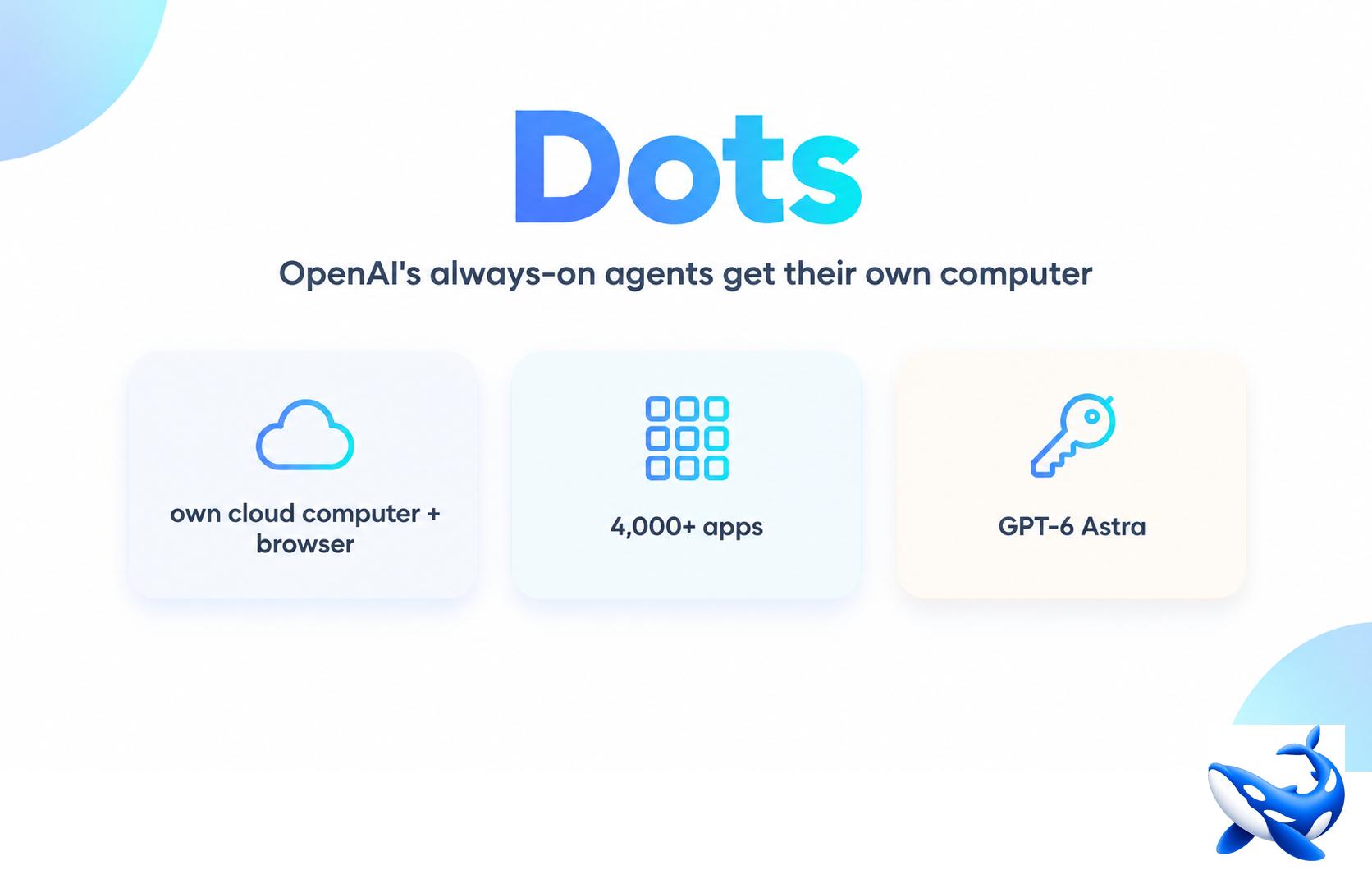
According to OpenAI, Dots are powered by GPT-6 Astra and have their own cloud computer. They can use a browser and connected applications to perform work, continue handling tasks in the background, and learn from user feedback over time.
To understand the idea, think about the difference between asking a traditional chatbot for advice and asking an AI agent to complete a task.
For example, a chatbot might explain how to prepare a business invoice. An AI agent such as a Dot may be able to prepare the invoice using the relevant information, check the details, and send it after you approve the action, provided it has the necessary access and permissions.
This difference makes Dots an important development in AI-powered productivity.
How are Dots different from ordinary AI chatbots?
Traditional chatbots mainly respond to your prompts. You ask a question, receive an answer, and decide what to do next.
Dots are designed to take a more active role. They can work through multi-step tasks, use connected tools, and keep working toward a goal without requiring you to guide every individual step.
Here are the main differences:
- Traditional chatbot: Answers questions, explains concepts, and creates content.
- AI assistant: Helps with questions, planning, writing, and other activities.
- AI agent: Can use available tools to carry out tasks and work toward a defined outcome.
- OpenAI Dot: An AI agent designed to understand your preferences, work across supported applications, manage ongoing tasks, and ask for approval when required.
These categories can overlap. The important difference is not simply how intelligent a system is, but whether it can take action, use tools, and complete work within the permissions you provide.
2. How Do OpenAI Dots Work?

OpenAI Dots combine AI reasoning, a cloud-based working environment, a browser, connected applications, and user instructions. Together, these features allow a Dot to work through a task rather than simply provide a written response.
The exact process depends on the task and the permissions available. However, the general workflow can be explained in a few simple steps.
Step 1: Give your Dot a goal
First, explain what you want the Dot to achieve. You can describe a task in ordinary language instead of writing technical instructions.
For example, a marketing professional might ask it to prepare social media content for a new product launch. A developer might ask it to investigate recurring bugs reported by customers.
The clearer the goal, the easier it is to understand what needs to be done.
Step 2: Provide the necessary context
Your Dot may need information about your business, preferred writing style, target audience, deadlines, or expected results.
You can give it relevant instructions and feedback so it understands your requirements. Over time, Dots are designed to adapt to your preferences and standards.
However, you should still check important information and correct misunderstandings.
Step 3: Connect the required applications
Dots can use applications that you choose to connect and authorize. These connections provide access to the tools and information needed for particular tasks.
For example, a workflow might require access to project information, documents, communication tools, or content creation resources.
Access depends on the supported integration and the permissions you grant. Connecting an application does not mean every possible action is automatically allowed.
Step 4: Let the Dot work through the task
Once the task is understood and the necessary access is available, the Dot can work through the steps required to reach the goal.
It may research information, use a browser, prepare documents, inspect results, or manage several tasks at the same time.
Dots also have their own cloud computer, which helps separate their working environment from your personal computer unless you choose to connect your device.
Step 5: Review the results
After the work is completed, you can inspect the output, provide feedback, and redirect the Dot if necessary.
Actions that affect your accounts or share information may require approval, depending on the action, your rules, and the applicable safety controls.
This approach allows you to delegate more work without giving up all control.
3. Key Features of OpenAI Dots
OpenAI Dots offer several features intended to make AI assistance more useful for ongoing work. These features are particularly relevant to people who regularly manage projects, business operations, research, or content production.
1. Independent task execution
Dots are designed to handle tasks with less continuous supervision. Rather than asking you to explain every small step, a Dot can work through a larger assignment and manage the individual steps needed to complete it.
For example, it could investigate customer feedback, identify repeated problems, and prepare suggested fixes for a software team to review.
This can reduce the amount of time people spend coordinating routine tasks.
2. A dedicated cloud computer
Each Dot has its own cloud computer and browser. This gives it a working environment for carrying out supported tasks.
You can inspect the Dot’s computer and review its work. You can also choose to connect your own computer when a task requires it.
The separation between the cloud environment and your personal computer is an important part of the design.
3. Background work
One of the most interesting features of Dots is their ability to work toward goals in the background.
You do not necessarily have to keep a conversation open and provide instructions at every stage. A Dot can continue working on an assigned project and communicate when it needs information or when a decision is required.
Background work does not mean unlimited access or unrestricted action. The available capabilities depend on the permissions and safety rules in place.
4. Learning from feedback
Dots are designed to adapt to your preferences over time.
For example, if you regularly edit a draft to make it shorter, more conversational, and easier to understand, your feedback can help the Dot better understand your preferred style.
This may make future work more consistent. However, it does not guarantee that every result will match your expectations without review.
5. Connections with other applications
OpenAI says Dots can connect to more than 4,000 applications through its plugin ecosystem. They are designed to work with the tools people already use rather than requiring every task to happen inside one chat window.
This could be useful for businesses that rely on different systems for communication, documentation, development, and project management.
The actual applications available to you will depend on the integrations supported for your account.
6. Access through familiar communication tools
Dots can be accessed through ChatGPT on desktop, the web, and mobile. OpenAI also describes access through Slack and Microsoft Teams, allowing people to interact with their Dot in familiar work environments.
This can make it easier to discuss tasks, share information, receive updates, and provide feedback without constantly switching between tools.
OpenAI has also described voice calls as a way to talk through ideas with a Dot.
7. Managing multiple tasks
Dots are designed to handle a project while also working on other assignments. This can be useful when several activities need attention at the same time.
For example, a business owner might need help preparing a proposal, researching competitors, and organizing a content calendar.
Instead of manually coordinating every step, the owner may be able to delegate suitable tasks and review the results.
8. Permissions and approval controls
Dots include controls intended to help users decide what the agent can access and what actions it can take independently.
You can manage application permissions, establish custom rules, inspect activity, and redirect work. Certain sensitive actions remain under human control.
These controls are essential because a useful AI agent needs the ability to act while respecting the user’s boundaries.
4. Real-World Uses of OpenAI Dots
The value of an AI agent depends on the problems it can help solve. OpenAI’s announcement describes examples across software development, product launches, research, sales, and content production.
The following sections explain how similar workflows could help different types of users. These are practical examples, not a promise that every workflow is available in every account.
1. OpenAI Dots for digital marketing
Digital marketing involves many repetitive tasks. Teams research keywords, create content, plan campaigns, prepare reports, and monitor customer feedback.
A Dot could help bring these activities together by working with the relevant connected tools.
For example, a digital marketing agency could ask a Dot to prepare a monthly content plan for a local business. The Dot could help organize topic ideas, draft social media posts, prepare captions, and arrange the work for human review.
Potential uses include:
- Preparing social media content calendars.
- Drafting blog outlines and marketing emails.
- Organizing campaign research.
- Preparing reports from accessible data.
- Reviewing content against brand guidelines.
- Updating draft marketing materials when campaign requirements change.
Important: AI-generated content should be checked for accuracy, originality, brand suitability, and search engine quality before publication. AI automation does not guarantee higher rankings or better campaign results.
2. OpenAI Dots for small businesses
Small businesses often have limited staff and many responsibilities. Owners may need to manage customer communication, invoices, proposals, schedules, and internal documents.
An AI agent could help organize these tasks and prepare work that would otherwise take up valuable time.
For example, a small consulting company could use a Dot to prepare a proposal based on approved service details, organize customer requirements, and flag missing information before the owner reviews it.
Potential benefits include less repetitive work, more consistent documentation, and additional time for customer relationships.
However, business owners should carefully control financial actions, customer data, and external communication.
3. OpenAI Dots for software developers
Software development is another important use case.
Developers spend time fixing bugs, reading customer feedback, testing code, reviewing changes, and documenting improvements.
OpenAI describes a workflow in which a Dot identifies repeated customer requests, prepares fixes, tests them, and creates pull requests with supporting videos for review.
In practical terms, this could help a developer:
- Group similar bug reports.
- Investigate possible causes.
- Prepare code changes.
- Run supported tests.
- Document proposed fixes.
- Prepare changes for review before they enter production.
The developer still needs to inspect the code, test important cases, and approve changes according to the team’s process.
4. OpenAI Dots for content creators
Content creators often need to turn one piece of content into several formats. An interview, for example, might become a video, a blog post, short clips, and social media updates.
A Dot could help coordinate this process.
It might identify interesting moments in an interview transcript, prepare show notes, draft captions, and adapt the material to different platforms.
If the creator provides feedback, the Dot can use that guidance to improve the consistency of future drafts.
This can be especially useful for creators who publish frequently but have limited editing or marketing support.
Human review remains important for context, tone, factual accuracy, copyright concerns, and the quality of the final content.
5. OpenAI Dots for research and analysis
Researchers often work with changing information. New evidence may require them to repeat calculations, revise charts, or update written explanations.
OpenAI describes Dots helping researchers rerun analyses when new data arrives and flagging findings that need review.
For a suitable research workflow, an agent could help organize data, run supported analyses, compare results, and prepare updated drafts.
Researchers should still verify the underlying data, analytical methods, assumptions, and conclusions. AI-generated findings must not be treated as reliable simply because they appear detailed or well presented.
6. OpenAI Dots for sales teams
Sales teams need to understand customer requirements, maintain accurate proposals, and coordinate with technical specialists.
A Dot could help compare customer requirements with product documentation, identify unanswered questions, prepare a proof of concept, and update proposal drafts as requirements change.
This may reduce the time spent on administrative work and help sales professionals focus on customer conversations.
Any promises about pricing, product capabilities, delivery dates, or contractual commitments should be reviewed and approved by the responsible team.
7. OpenAI Dots for project management
Project managers often coordinate deadlines, tasks, meetings, documents, and updates from several people.
An AI agent could help organize project information, identify missing details, prepare progress summaries, and flag tasks that need attention.
For example, a team could ask a Dot to prepare a weekly project report using authorized project information. The team could then review the report and decide which actions to take.
The benefits depend on the quality of the available data and the agent’s access to the relevant project tools.
5. What Are Specialist Dots?
In addition to personal Dots, OpenAI has announced specialist Dots designed for specific responsibilities inside organizations.
A personal Dot is intended to work on behalf of an individual. A specialist Dot is designed to perform a defined role within a business, with its own identity, credentials, and access to the systems required for its tasks.
For example, an organization might explore a specialist Dot for invoice processing or customer support. Instead of asking one general agent to manage every business function, the organization could define separate responsibilities and access rules for different agents.
OpenAI says its early internal testing has included procurement, invoice processing, email marketing, customer support, and commercial contracting. Specialist Dots are being introduced through focused enterprise pilots.
Why could specialist Dots matter to businesses?
Specialization can make it easier to define what an AI agent is responsible for and which systems it may use.
Potential advantages include:
- Clear responsibilities: Each agent has a defined role.
- Controlled access: Permissions can be limited to the systems required for its work.
- More consistent processes: Repeated tasks can follow established instructions.
- Human oversight: Staff can review work and approve important actions.
- Organizational management: Businesses can establish rules for how agents operate.
Specialist Dots should not be confused with a fully autonomous workforce. They are AI systems intended to assist with defined responsibilities, and organizations still need to manage permissions, quality, accountability, and risk.
Specialist Dots and Microsoft Agent 365
OpenAI has also announced work with Microsoft to integrate specialist Dots with Microsoft Agent 365 and its enterprise governance and security controls.
The goal is to help businesses manage specialist agents through familiar Microsoft tools. The announcement describes this as an integration in development, rather than a guarantee that every capability is already available to all customers.
6. OpenAI Dots vs. Traditional ChatGPT
Both ChatGPT and Dots can use AI to help people work, but their intended roles are different.
ChatGPT is commonly used to answer questions, explain ideas, write content, analyze information, and assist with many kinds of tasks. Dots are designed to take on ongoing work, use connected tools, and move toward a goal with less repeated direction.
Here is a simple comparison.
| Feature | Traditional ChatGPT use | OpenAI Dots |
|---|---|---|
| Answering questions | Yes | Yes, through conversation |
| Writing and brainstorming | Yes | Yes, as part of assigned work |
| Multi-step task execution | Depends on the tools and task | A central design goal |
| Background work | Depends on the feature used | Designed for ongoing background work |
| Connected applications | Depends on available integrations | Uses authorized connected applications |
| Learning user preferences | Can use available personalization features | Designed to adapt through feedback |
| Human approvals | Depends on the action and tool | Includes rules and approval controls |
| Ongoing projects | Depends on the workflow | Designed to manage continuing tasks |
The two experiences are not necessarily alternatives. Dots are part of OpenAI’s broader approach to AI-assisted work, and they are intended to work through ChatGPT and other supported tools.
Which one should you use? If you need an explanation, a quick draft, or help thinking through a problem, a regular ChatGPT conversation may be enough. If you want an AI agent to manage a multi-step task across connected tools, Dots are designed for that kind of work.
7. Are OpenAI Dots Safe to Use?
Safety is one of the most important questions to ask about any AI agent. An agent that can access applications and perform actions needs stronger controls than a tool that only produces text.
OpenAI says Dots build on ChatGPT’s protections and include additional safeguards for their work. These include permission settings, activity monitoring, action review, and rules for deciding when approval is needed.
Privacy and data protection
Dots operate in a cloud environment. Your personal computer and its contents remain separate unless you choose to connect your device.
OpenAI also says that Dots can use saved passwords to sign in to supported websites without exposing those passwords to the model.
Users can choose which applications Dots access and manage permissions through the available ChatGPT controls.
Data handling also depends on the type of account. OpenAI states that content from ChatGPT Business, Enterprise, and Edu workspaces is not used to improve its models by default. On personal ChatGPT plans, users can control whether conversations and work are used for model improvement.
Before connecting business applications, review your organization’s policies and the applicable privacy settings.
Can Dots make mistakes?
Yes. Like other AI systems, Dots can misunderstand instructions, use incorrect information, or produce work that needs correction.
An agent may also encounter misleading instructions within documents or web pages. OpenAI describes safeguards intended to detect malicious instructions and stop potentially harmful behavior.
These protections can reduce risk, but they do not eliminate it.
For important tasks, review the results before relying on them. This is especially important for financial transactions, confidential information, legal documents, customer communications, and changes to live software systems.
Why human approval matters
OpenAI describes controls that check actions against user instructions, custom rules, and safety requirements. Some actions can proceed independently, while others require approval or must be completed by the user.
For example, a Dot may prepare an invoice for review rather than send it immediately. Certain sensitive actions, such as changing a password, remain under human control.
The safest approach is to give an agent only the permissions it needs, require approval for important actions, and inspect its activity regularly.
8. OpenAI Dots Pricing and Availability
OpenAI announced the initial rollout of Dots on September 29, 2026.
According to its official announcement, Dots are rolling out to ChatGPT Pro and Business Premium users in eligible markets. Enterprise users, including Edu and Healthcare workspaces, can try the beta when their workspace administrator enables it. Availability depends on market and account eligibility.
Is OpenAI Dots free?
OpenAI says the first Dot is included in eligible Pro and Business Premium plans at no additional cost.
The announcement also describes an allowance for deeper work, with extended limits during the first month after launch. It does not establish that every type of usage is unlimited.
In addition, conversations with a Dot do not count toward ChatGPT usage limits, while tasks that it starts or manages in Codex or ChatGPT Work count toward the applicable limits for those services.
For this reason, check the current plan details and availability information before deciding whether to upgrade.
How can you check availability in India?
If you are using ChatGPT in India, do not assume that the feature is automatically available just because it has been announced globally.
To check whether you can use it:
- Open ChatGPT on your desktop or in your desktop browser.
- Check whether Dots are available in your account.
- Confirm that your plan and market are eligible.
- Review the available connection and permission settings.
- Consult the official announcement and current help information for updates.
Official reference: OpenAI — Introducing Dots.
9. How to Get Started With OpenAI Dots
Getting started involves more than simply opening a chat. You need to identify a useful task, provide the right context, and choose the applications the Dot is allowed to access.
OpenAI’s announcement describes initial setup through the ChatGPT desktop app or desktop browser. Once the Dot has been set up, it can also be accessed through the ChatGPT mobile app.
Step 1: Check your account
First, confirm that Dots are available to your account in your market. If you cannot see the feature, it may not yet be enabled for your plan or region.
Step 2: Create your first Dot
Follow the setup instructions in ChatGPT and give your Dot a name. Choose a name that makes it easy to identify in your workflow.
Step 3: Connect relevant applications
Connect only the applications required for the task. Review the permissions carefully before allowing access to business documents, communication tools, or other sensitive information.
Step 4: Explain your goals
Describe the task, the expected result, the deadline, and any rules the Dot should follow.
For example, you might say:
“Prepare a weekly social media content calendar for my business. Use the brand guidelines I provide, draft the captions, and organize the posts by date. Do not publish anything without my approval.”
This instruction defines the goal, the required output, and an important approval boundary.
Step 5: Set rules for important actions
Decide which actions the Dot can take independently and which require your approval.
For example, you may allow it to organize research and prepare drafts while requiring approval before sending emails, publishing posts, or making changes to important records.
Step 6: Review its work and provide feedback
Inspect the output, correct mistakes, and explain what should change. This helps establish clearer expectations for future tasks.
Start with a low-risk workflow before delegating more complex responsibilities.
10. Advantages and Limitations of OpenAI Dots
OpenAI Dots may make some types of work easier, but they are not a replacement for human judgment.
Main advantages
- Time savings: Dots can handle suitable repetitive and multi-step tasks.
- Better task coordination: They are designed to work across connected applications.
- Ongoing assistance: They can continue working toward goals in the background.
- Personalized output: Feedback can help them adapt to your preferences.
- Support for different professions: Potential uses include marketing, software development, research, sales, and business operations.
- Greater flexibility: Users can communicate through supported tools such as ChatGPT, Slack, and Teams.
Important limitations
- Availability restrictions: Not every plan or market may have access.
- Possible errors: AI-generated information and actions can be incorrect.
- Permission requirements: The Dot needs appropriate access to perform tasks.
- Human oversight: Important results and consequential actions still need review.
- Privacy considerations: Connected applications may contain confidential or sensitive data.
- Integration limits: The actual workflow depends on supported applications and available permissions.
- Uncertain productivity gains: Results depend on the task, quality of instructions, and reliability of the workflow.
The best way to evaluate Dots is to test them on a clearly defined task and measure the time saved, the quality of the output, and the amount of human correction required.
11. What Does the Future of OpenAI Dots Look Like?
OpenAI’s announcement presents Dots as part of a broader move toward AI agents that can take responsibility for ongoing work.
Instead of using AI only when a question comes to mind, people may increasingly delegate defined goals and return to review the results. In a business, different agents could eventually support different functions, each with its own responsibilities and access rules.
For example, a small company might use one agent to organize marketing research, another to prepare internal reports, and a specialist agent to help process invoices.
Such a system could reduce manual coordination and allow employees to focus on planning, relationships, creative decisions, and complex problems.
However, the future success of AI agents will depend on more than their ability to complete tasks. Reliability, security, clear accountability, sensible costs, and human control will also matter.
OpenAI has described its rollout as an ongoing process, with plans to expand availability and develop specialist Dots further. The full range of future capabilities should therefore be treated as a developing product roadmap rather than a guarantee of what every user can do today.
Conclusion
OpenAI Dots represent a new approach to using artificial intelligence at work. Instead of relying on AI only for answers, users can delegate suitable tasks to agents designed to work across connected applications, manage ongoing projects, and adapt to feedback.
For digital marketers, business owners, developers, researchers, and sales professionals, this could mean spending less time on repetitive activities and more time on work that requires human judgment.
However, Dots are not perfect. They can make mistakes, their capabilities depend on available integrations, and important actions still require careful oversight. Users should also understand the privacy and permission settings before connecting business tools.
The best approach is to start with one simple task, set clear rules, review the results, and expand gradually if the system proves useful.
In short, OpenAI Dots could make AI more practical by helping people move from asking questions to delegating work. Their real value will depend on how reliably they complete tasks and how effectively people remain in control.
20 Open-Source Projects for AI Agents in Production
Frequently Asked Questions (FAQs)
1. What are OpenAI Dots?
OpenAI Dots are AI agents designed to work toward goals, manage multi-step tasks, use connected applications, and provide ongoing assistance with less manual direction.
2. How are OpenAI Dots different from ChatGPT?
ChatGPT is widely used for answering questions, writing, research, and problem-solving. Dots are designed to take a more active role by carrying out tasks, working in the background, and using connected applications.
3. Are OpenAI Dots available to everyone?
No. According to OpenAI’s September 29, 2026 announcement, the initial rollout targets eligible ChatGPT Pro and Business Premium users. Enterprise, Edu, and Healthcare users can access the beta when their workspace administrator enables it. Availability varies by market.
4. Is OpenAI Dots free to use?
OpenAI says the first Dot is included at no additional cost with eligible Pro and Business Premium plans. Access and usage allowances depend on the applicable plan and rollout.
5. Can OpenAI Dots automate digital marketing tasks?
Dots are designed to support multi-step work, so potential marketing uses include preparing content calendars, drafting social media posts, organizing research, and preparing campaign reports. Users should review all content before publication.
6. Are OpenAI Dots safe for business use?
Dots include permission controls, activity monitoring, safeguards, and approval rules. However, no AI system is completely error-free. Businesses should restrict access to necessary information and review sensitive or consequential actions.
7. Can OpenAI Dots work without constant instructions?
Yes. Dots are designed to continue working toward assigned goals in the background and handle multiple tasks. They may still need additional information, clarification, or approval to complete particular actions.
8. How can I get started with OpenAI Dots?
Check your eligibility, open ChatGPT on a desktop, create your Dot if the feature is available, connect the required applications, and define your task and approval rules. Start with a simple workflow and review the results before expanding its responsibilities.