


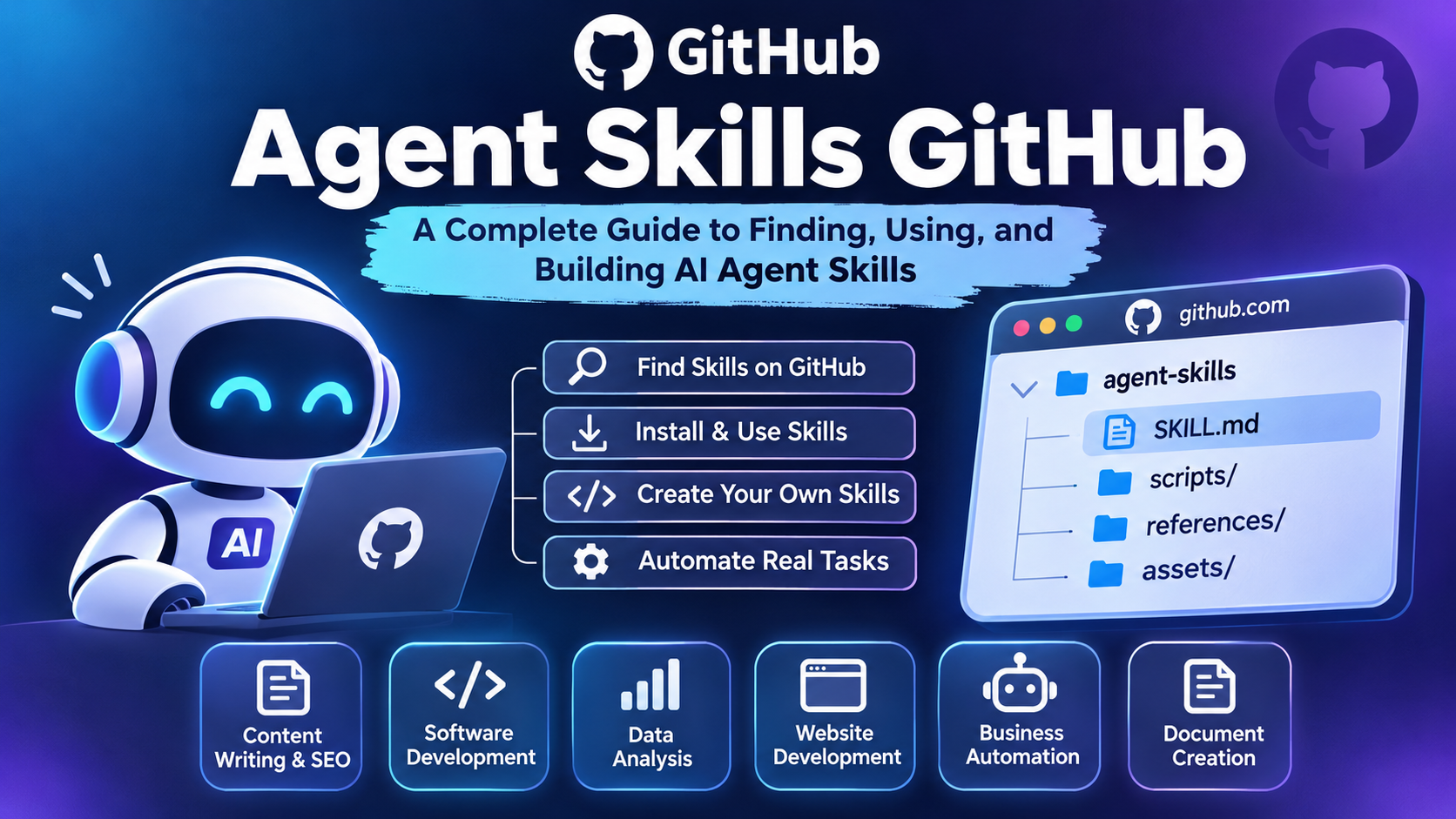
Agent Skills GitHub: A Complete Guide to Finding, Using, and Building AI Agent Skills
AI agents are becoming an important part of modern technology. They can perform tasks, use tools, search for information, write code, manage workflows, and help businesses save time. However, an AI agent becomes more useful when it has the right skills to complete specific tasks.
This is where Agent Skills on GitHub become valuable. GitHub provides a place where developers can discover, share, download, and build reusable skills for AI agents. These skills help agents understand how to perform particular jobs instead of relying only on general instructions.
In this guide, you will learn what Agent Skills are, how GitHub repositories help you find them, how to install and use skills, and how to create your own. Whether you are a beginner, developer, startup founder, or AI enthusiast, this article will help you understand how to use GitHub to build more capable AI agents.
1. What Are Agent Skills?
Agent Skills are reusable instructions and resources that help AI agents perform specific tasks. They provide an AI system with additional knowledge, working methods, and step-by-step guidance.
For example, a general AI agent may know how to write content. However, it may not understand your company’s writing style, SEO requirements, or publishing process.
You can create a content writing skill that explains:
- How to research a topic.
- How to write SEO-friendly articles.
- How to create meta titles and descriptions.
- How to follow a particular writing style.
- How to check content before publishing.
When the AI agent needs to complete a content-related task, it can use the relevant skill.
An Agent Skill usually contains a file called SKILL.md. This file includes information about the skill and instructions for completing the task.
The Agent Skills format was originally developed by Anthropic and released as an open format. It is designed to make skills reusable across compatible AI tools.
2. Why Is GitHub Important for Agent Skills?
GitHub is one of the most useful platforms for developers who want to build and share AI projects. It allows people to store code, manage files, collaborate with others, and contribute to open-source projects.
For AI agent developers, GitHub offers an easy way to discover existing skills and learn how other developers build them.
Here are some important reasons why GitHub is useful for Agent Skills.
Discover existing skills: Developers can explore public repositories containing ready-made AI agent skills.
Save development time: Instead of writing every instruction from the beginning, you can study and adapt existing skills.
Share knowledge: Developers can publish their skills so other people can use and improve them.
Track changes: GitHub keeps a history of changes, making it easier to manage different versions of a skill.
Collaborate with developers: You can contribute to open-source projects and receive feedback from other developers.
GitHub also makes it easier for development teams to maintain their AI workflows in one place.
3. Best GitHub Repositories for Agent Skills
If you are searching for Agent Skills GitHub repositories, it is helpful to begin with official projects. These repositories provide examples, documentation, and instructions that can help you understand how the system works.
Here are some useful repositories to explore.
1. Anthropic Skills
GitHub: https://github.com/anthropics/skills
The Anthropic Skills repository contains examples of skills created for Claude. It demonstrates how reusable instructions can help AI systems perform specialized tasks.
You can explore different categories, including:
- Document creation and editing.
- PDF processing.
- Excel spreadsheet operations.
- PowerPoint presentations.
- Frontend design.
- Website testing.
- Brand guidelines.
- MCP server development.
This repository is a good starting point for developers who want to understand how practical AI skills are organized.
2. Agent Skills Specification
GitHub: https://github.com/agentskills/agentskills
This repository contains the Agent Skills specification and documentation.
It explains how to structure skills, write the SKILL.md file, organize resources, and make skills compatible with supported AI applications.
It is particularly useful for developers who want to create skills that can work across different compatible agent platforms.
3. Microsoft Skills
GitHub: https://github.com/microsoft/skills
Microsoft provides documentation and examples related to Agent Skills.
The repository explains how skills work, how AI agents discover them, and how developers can integrate skill support into their applications.
It is useful for developers who want to understand the technical side of reusable agent capabilities.
Which Repository Should You Choose?
Your choice depends on what you want to learn.
- Beginners can start with the Anthropic Skills repository.
- Developers building compatible AI systems can study the Agent Skills specification.
- Developers exploring Microsoft’s approach can review Microsoft Skills.
Always check the repository’s license, documentation, compatibility, and latest updates before using its contents in a commercial project.
4. How Do Agent Skills Work?
Agent Skills use a simple process called progressive disclosure. It allows an AI agent to load only the information it needs instead of reading every instruction at once.
There are three main stages.
Stage 1: Discovery
The AI agent first checks the available skills. It usually reads basic information, such as the skill name and description.
This helps the agent understand which skills are available.
Stage 2: Activation
When a user requests something related to a particular skill, the agent identifies the relevant skill and reads its complete instructions.
For example, if you ask an agent to create an Excel report, it may activate an Excel-related skill.
Stage 3: Execution
After loading the instructions, the AI agent follows the steps to complete the requested task.
It may also use additional resources, scripts, and templates included in the skill folder.
This process helps agents use specialized knowledge without loading unnecessary information into their context.
5. What Is a SKILL.md File?
The SKILL.md file is the main part of an Agent Skill. It contains metadata and instructions that explain what the skill does and when an AI agent should use it.
A basic skill folder can look like this:
my-agent-skill/
│
├── SKILL.md
│
├── scripts/
│   └── automation.py
│
├── references/
│   └── guide.md
│
└── assets/
    └── template.txt
Each folder has a different purpose.
SKILL.md: Contains the main instructions.scripts/: Stores optional scripts used for specific tasks.references/: Contains additional information and documentation.assets/: Stores templates and other useful resources.
Not every skill needs all these folders. A simple skill can work with only a SKILL.md file.
Example of a Basic SKILL.md File
You can create a basic skill using the following structure:
---
name: seo-content-writer
description: Write helpful, SEO-friendly articles
for blogs and websites using clear language.
---

# SEO Content Writer

## Purpose

Help users create useful and readable blog articles.

## Instructions

1. Understand the main topic.
2. Identify the target audience.
3. Research the subject.
4. Use the main keyword naturally.
5. Add relevant headings.
6. Write clear and helpful paragraphs.
7. Include useful FAQs.
8. Create a meta title and description.

## Quality Guidelines

- Avoid keyword stuffing.
- Use simple language.
- Provide accurate information.
- Avoid unnecessary repetition.
- Write for readers first.
This example shows how you can provide clear instructions for a particular task.
6. How to Find Agent Skills on GitHub
Finding useful skills on GitHub is not difficult. You can use the platform’s search feature to discover repositories and files.
Follow these steps to find relevant Agent Skills.
- Open https://github.com.
- Enter a search term such as
agent skills,SKILL.md, orAI agent automation. - Open repositories that match your requirements.
- Read the repository description and README file.
- Explore the available skill folders.
- Open the
SKILL.mdfile to understand what each skill does. - Check its license and dependencies.
- Download or clone the repository if it meets your requirements.
You can also use GitHub topics and filters to discover projects related to AI agents, automation, machine learning, and developer tools.
Do not choose a repository only because it has many stars. Check whether it is maintained, documented, and suitable for your intended use.
7. How to Install and Use Agent Skills
The installation process depends on the AI agent or development tool you are using. Different applications may support different skill directories and installation methods.
For example, a compatible filesystem-based agent may read skills directly from a configured folder.
Here is a general workflow.
Step 1: Select a Skill
Find a skill that matches your requirements. For example, you may need a coding assistant, SEO writer, document creator, or website testing skill.
Step 2: Download the Repository
You can download a repository as a ZIP file or clone it using Git.
For example:
git clone https://github.com/anthropics/skills.gitThis command downloads the repository to your computer.
Step 3: Find the Required Skill Folder
Open the downloaded project and find the skill you want to use.
Check its SKILL.md file and read the instructions.
Step 4: Add the Skill to a Compatible Agent
Move or copy the skill folder into the directory supported by your AI application.
The correct directory depends on the tool. Some applications use their own skill folders, while others support loading skills from a GitHub repository.
Step 5: Test the Skill
Give your AI agent a task related to the skill.
For example:
“Create an SEO-friendly blog article using the SEO content writer skill.”
Check whether the agent follows the instructions correctly.
Important: Downloading a skill does not automatically make it work with every AI tool. The application must support the Agent Skills format or provide another integration method.
8. Popular Use Cases of Agent Skills
Agent Skills can support many types of work. Businesses, developers, content creators, and startups can use them to create repeatable workflows.
Here are some practical examples.
1. Content Writing and SEO
A content writing skill can help AI agents create blog posts, product descriptions, website content, meta descriptions, and FAQs.
It can also provide instructions for keyword placement and content formatting.
2. Software Development
Coding skills can help agents understand project structures, follow coding standards, write tests, identify bugs, and document software.
3. Data Analysis
A data analysis skill can explain how to clean datasets, calculate important metrics, create charts, and prepare reports.
4. Website Development
Website development skills can guide agents when building web pages, writing HTML and CSS, improving responsive layouts, and checking website performance.
5. Business Automation
Businesses can create skills for customer support, report preparation, email drafting, data processing, and internal workflows.
6. Document Creation
Document skills can help AI agents create and edit Word files, spreadsheets, PDFs, and presentations.
These examples show that Agent Skills are not limited to software developers. They can also help people who work in marketing, education, business operations, and other industries.
9. Agent Skills vs AI Agents vs MCP
These three terms are related, but they perform different jobs.
AI agents are systems that can understand tasks, make decisions, and use available tools to complete work.
Agent Skills provide specialized instructions and reusable workflows that help agents perform specific tasks.
Model Context Protocol (MCP) is an open protocol that allows AI applications to connect with external tools and data sources through a standardized interface.
For example, imagine an AI agent that helps a business prepare monthly reports.
- The AI agent understands the user’s request.
- The reporting skill explains how to prepare the report.
- An MCP server may provide access to the business database or other external tools.
In simple words, an AI agent is the worker, a skill is its instruction manual, and MCP can provide access to the tools and information it needs.
They can work together to create more useful AI automation systems.
10. How to Create Your Own Agent Skill
Creating a custom Agent Skill is a useful way to teach an AI agent how to complete a task according to your requirements.
You do not need to build a complicated AI model to create a basic skill. You can begin with a simple folder and a Markdown file.
Follow these steps.
Step 1: Choose a Specific Task
First, decide what you want your skill to do.
For example, you can create:
- SEO blog writing skill.
- Python coding skill.
- Website testing skill.
- Social media content skill.
- Customer support skill.
Start with one clear purpose rather than trying to combine many unrelated tasks.
Step 2: Create a Skill Folder
Create a folder using a simple name.
For example:
seo-blog-skill/Step 3: Create the SKILL.md File
Inside the folder, create a file named SKILL.md.
Add the required metadata:
---
name: seo-blog-skill
description: Create helpful and SEO-friendly blog articles.
---
Step 4: Add Clear Instructions
Explain what the AI agent should do when the skill becomes active.
Include the workflow, writing rules, examples, expected output, and important limitations.
Step 5: Add Supporting Resources
If your skill needs templates, scripts, or reference documents, create separate folders for them.
Keep resources organized so the agent can find the correct information easily.
Step 6: Test and Improve
Test the skill using different user requests.
Check whether it follows the instructions and produces consistent results.
If something is unclear, improve the instructions and test again.
Step 7: Publish It on GitHub
When your skill is ready, you can create a GitHub repository and upload your files.
Add a README file explaining the skill’s purpose, installation process, usage examples, and license.
This makes it easier for other developers to understand and use your work.
11. Best Practices for Building Better Agent Skills
A well-written skill can make an AI agent more consistent and useful. However, unclear instructions can create confusing results.
Follow these best practices when creating your own skills.
Keep the purpose specific: Every skill should solve a clearly defined problem.
Write simple instructions: Use clear language and explain each important step.
Provide examples: Examples help agents understand the expected output.
Avoid unnecessary information: Keep the main instruction file focused and move detailed information into reference files when appropriate.
Use supporting scripts carefully: Scripts should be tested, documented, and designed to handle errors.
Check compatibility: Make sure the target AI application supports the skill format and any required features.
Maintain your repository: Update outdated instructions and dependencies when necessary.
Review security: Never include API keys, passwords, private information, or sensitive business data in public repositories.
Following these practices can help you build skills that are easier to maintain and reuse.
12. Security Risks You Should Know Before Downloading GitHub Skills
Agent Skills can contain instructions, scripts, and other files. Therefore, you should treat them as software components rather than harmless text documents.
A skill may ask an agent to access files, execute commands, or use external services. If those instructions are unsafe, they could create security problems.
Before installing a third-party skill, follow these precautions:
- Check who created the repository.
- Read the complete
SKILL.mdfile. - Review scripts before running them.
- Check external dependencies and permissions.
- Never share API keys or passwords with untrusted skills.
- Avoid granting unnecessary access to local files or accounts.
- Test unfamiliar skills in an isolated environment.
- Review repository changes before updating an installed skill.
A public GitHub repository is not automatically safe. Download only from sources you trust and review what the skill can access.
13. What Is the Future of Agent Skills?
AI agents are moving beyond simple question-and-answer systems. They are increasingly being developed to handle complete workflows involving multiple steps, tools, and information sources.
Agent Skills can play an important role in this development.
In the future, businesses may create internal skill libraries for different departments. Marketing teams could use content and research skills, developers could use coding and testing skills, and operations teams could use reporting and automation skills.
Open skill formats can also make it easier to reuse the same expertise across compatible AI applications.
However, skills alone will not make an AI agent fully reliable. Good instructions, accurate information, suitable tools, testing, security controls, and human review will remain important.
For developers and businesses, learning how to build and manage Agent Skills is a useful step towards creating practical AI-powered workflows.
Conclusion
Agent Skills GitHub is an important topic for anyone interested in AI agents, automation, and open-source development. GitHub makes it easier to explore existing skills, learn from developers, and create reusable instructions for different AI applications.
You can start with an existing repository, understand how the SKILL.md file works, and build your own skill for a specific task. You can also share your work with the developer community and improve it over time.
The best approach is to start with a small project, test it properly, and gradually build more advanced skills. As AI technology continues to develop, reusable skills can help make AI agents more specialized, consistent, and useful in everyday work.
AI Updates and Trends November 2026
Frequently Asked Questions (FAQs)
1. What are Agent Skills on GitHub?
Agent Skills on GitHub are reusable folders containing instructions, scripts, and resources that help compatible AI agents perform specific tasks.
2. Where can I find Agent Skills on GitHub?
You can explore the official repositories at github.com/anthropics/skills, github.com/agentskills/agentskills, and github.com/microsoft/skills.
3. What is a SKILL.md file?
A SKILL.md file is the main instruction file of an Agent Skill. It contains metadata and instructions that explain what the skill does and how an AI agent should use it.
4. Are Agent Skills free to use?
Many public Agent Skills repositories are open source. However, usage rights depend on the license of each repository and its individual files. Always check the license before using a skill commercially.
5. Can beginners create Agent Skills?
Yes. Beginners can create a basic Agent Skill using a folder and a Markdown file. Advanced skills may also include scripts, reference documents, and templates.
6. Can I use Agent Skills with different AI tools?
Yes, Agent Skills are designed as an open format for compatible AI applications. However, not every AI tool supports the format, and installation methods may differ.
7. What is the difference between Agent Skills and MCP?
Agent Skills provide instructions and specialized workflows. MCP provides a standardized way for AI applications to connect with external tools and data sources.
8. Do Agent Skills require coding knowledge?
No. Basic skills can be created using Markdown instructions. However, coding knowledge is useful when you want to add scripts or advanced automation.
9. How do I install Agent Skills from GitHub?
You can download or clone a repository, select the required skill folder, and place it in a directory supported by your AI application. Follow the application’s installation instructions.
10. Are GitHub Agent Skills safe?
Not all third-party skills are automatically safe. Review their instructions, scripts, permissions, dependencies, and source before installing or using them.
11. Can Agent Skills help with SEO and content writing?
Yes. You can create skills for keyword research, blog writing, meta descriptions, content optimization, and other SEO-related workflows.
12. Why should developers learn Agent Skills?
Developers can use Agent Skills to build reusable AI workflows, improve task consistency, share expertise, and reduce repeated instructions across compatible AI applications.