AI is changing from a tool that only answers questions into a system that can actually help complete tasks. This is where agentic AI with Claude becomes important. Instead of asking Claude one question and receiving one answer, you can give Claude a goal and provide access to tools, files, websites, APIs, code, or business systems. Claude can then decide what actions are needed, use the available tools, check the results, and continue working toward the goal.
In addition, this can be useful for startups, developers, marketers, business owners, researchers, and teams that want to automate repetitive work. Claude can help with coding, research, data analysis, content workflows, customer support, and many other tasks when it is connected to the right tools.
Specifically, in this guide, you will learn what agentic AI with Claude means, how Claude agents work, how to build them, what tools they can use, real business examples, benefits, limitations, security concerns, and how beginners can get started.
What Is Agentic AI With Claude?
Agentic AI with Claude means using Claude as the reasoning and decision-making part of an AI system that can use tools and take actions to complete a goal.
In other words, a normal chatbot mainly follows this pattern:
At the same time, user asks → AI answers
In fact, an AI agent can work differently:
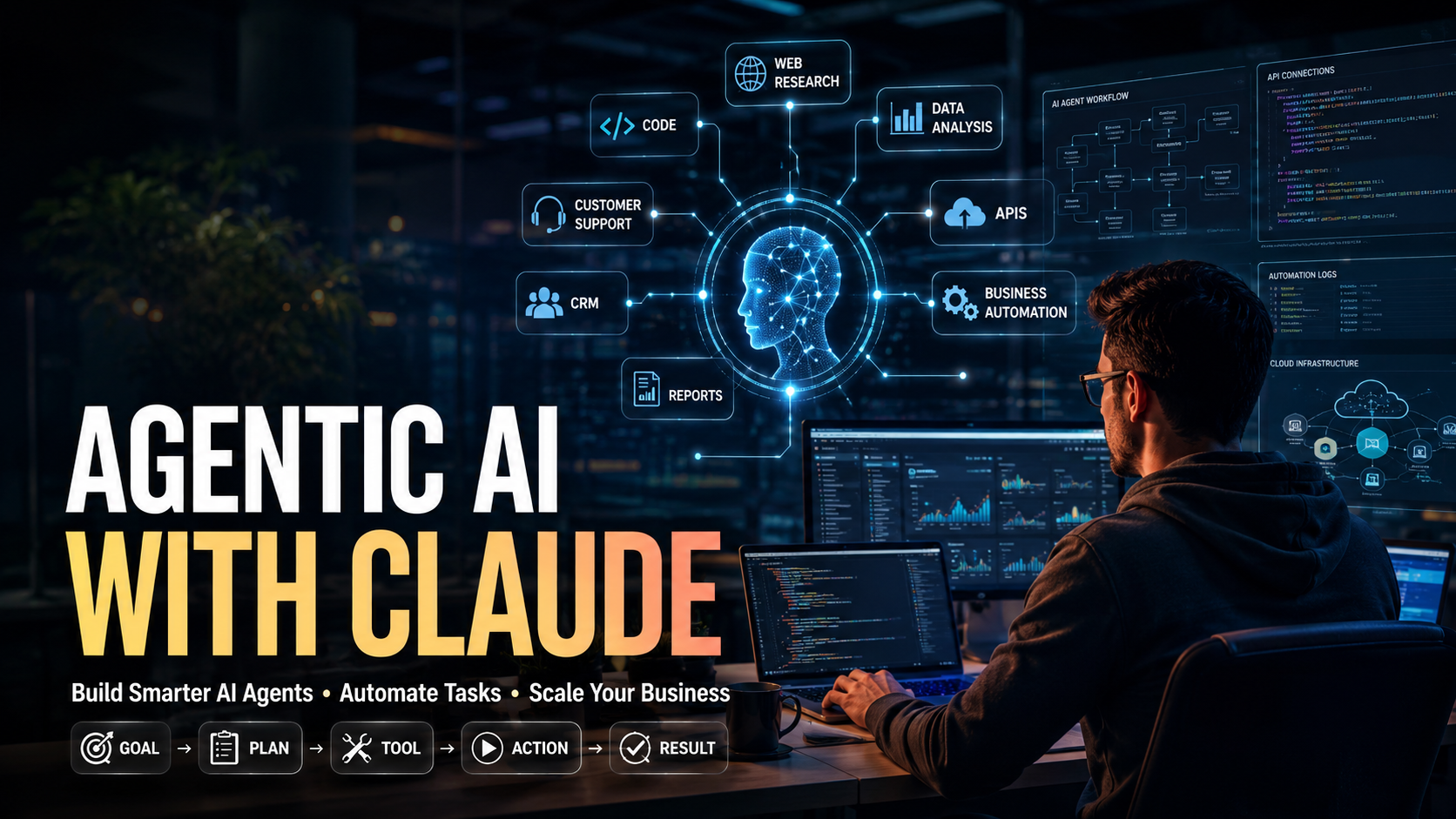
Similarly, user gives a goal → Claude plans → Claude chooses a tool → Tool performs an action → Claude checks the result → Claude continues → Task is completed
Anthropic describes an agent as an AI system equipped with tools that allow it to take actions such as running code, calling external APIs, or communicating with other agents.
This difference is important.
For example, if you ask a normal AI:
For instance, “How can I analyze my sales data?”
Importantly, it may explain the process.
Specifically, an agentic Claude system could potentially:
- Read your sales file.
- Analyze the data.
- Find important trends.
- Create calculations.
- Identify unusual results.
- Generate a report.
- Save the report.
- Then, send the result to another system.
In practice, the exact actions depend on the tools and permissions you provide.
How Does Agentic AI With Claude Work?
In short, agentic AI usually works through a continuous loop between the AI model and external tools.
Claude does not automatically control every computer or business system simply because it is an AI model. Furthermore, your application provides tools and defines what those tools can do. Claude can then request a tool call, your application executes it, and the result is returned to Claude.
In this case, a simple agentic workflow looks like this:
- Set a goal.
Notably, give Claude a clear task and explain what successful completion means. - Give Claude tools.
Tools may include APIs, databases, search, code execution, file systems, browsers, or business applications. - Claude decides what to do.
Because of this, claude can determine which available tool is useful for the current step. - The tool performs the action.
Your application or the platform executes the requested operation. - Claude receives the result.
In turn, claude can inspect the result and decide what should happen next. - The process continues.
Claude can make additional tool calls when the task requires multiple steps. - The agent finishes.
The system returns the final result when the goal is reached or the process needs human input.
This is commonly called the agentic loop.
Agentic AI With Claude vs Normal Claude Chat
Also, it is useful to understand the difference between standard AI chat and an AI agent.
In addition, with normal Claude usage, you may ask:
For example, “Write a product description for my software.”
Claude writes the content.
As a result, with an agentic workflow, you could give Claude a larger objective:
In other words, “Research our product information, review competitor positioning, create five product descriptions, check them against our brand guidelines, and prepare the final content.”
The second workflow requires multiple actions and decisions.
At the same time, this does not mean every task needs an agent.
Anthropic recommends starting with the simplest solution and adding agentic complexity only when it provides a real benefit. Agents can provide flexibility, but they can also increase cost, latency, and the possibility of errors.
What Makes Agentic AI With Claude Useful for AI Agents?
Claude has several capabilities that can be useful when building agentic systems.
Tool Use
In fact, claude can work with tools that are defined by your application. These tools can connect Claude to external systems and services.
For example, a business could provide tools for:
- Searching a database
- Creating a customer record
- Checking inventory
- Sending an internal notification
- Reading a document
- Calling an API
- Running calculations
- Updating a CRM
Claude can determine when a tool is useful and provide structured input for that tool.
Coding and Computer Tasks
Similarly, claude Code is an important example of agentic AI. It can work with codebases, inspect files, edit code, run tests, use command-line tools, and continue working through complex development tasks.
For instance, this shows how an AI model can move beyond generating code snippets and become part of a larger development workflow.
File and Data Work
Importantly, with suitable tools, Claude-based agents can work with files and structured information.
For example, an agent could:
- Read CSV data.
- Analyze business metrics.
- Find unusual values.
- Create summaries.
- Generate reports.
- Compare datasets.
Anthropic has described how the infrastructure behind Claude Code can also support broader computer-based agents that work with files, data, web research, visualizations, and other digital tasks.
What Tools Can Agentic AI With Claude Use?
Specifically, the power of an AI agent often depends on the tools connected to it.
Overall, a tool is basically an interface that tells the AI what operation is available and what information the operation needs.
Common tools include:
Web Search Tools
A research agent can use search tools to find current information instead of relying only on information already available in the model.
In practice, this can be useful for:
- Market research
- Competitor research
- Industry research
- News monitoring
- Product research
- Research reports
API Tools
In short, aPIs allow Claude agents to communicate with other software.
For example, an API could connect Claude to:
- CRM software
- Payment systems
- E-commerce platforms
- Email services
- Analytics platforms
- Inventory systems
- Internal company applications
Database Tools
Furthermore, a database tool can allow an agent to retrieve information from structured business data.
For example, a sales agent could search:
- Customer information
- Order history
- Product information
- Sales records
- Support tickets
Code Execution
Code execution can help an agent perform calculations, analyze data, process files, or test code.
Browser or Computer Tools
In this case, computer-use capabilities can allow agents to interact with software through a computer environment. However, these capabilities should be carefully controlled because an agent with access to real systems can potentially make real-world changes.
File Tools
Agents can use file-related tools to read, create, modify, or organize documents when the application provides the appropriate permissions.
What Is the Claude Agent SDK for Agentic AI With Claude?
The Claude Agent SDK is designed to help developers build agents using the same general infrastructure that powers Claude Code.
Anthropic explains that the SDK grew from the Claude Code SDK and can be used to create agents for tasks beyond traditional software development, as detailed in the official Claude Agent SDK documentation.
In turn, the basic idea is simple.
Instead of building an AI application that only sends prompts to Claude and receives text, developers can create an environment where Claude has:
- A goal
- Instructions
- Tools
- Context
- Access to information
- A way to take actions
- Rules and permissions
- Also, a method for checking results
This makes Claude part of an active workflow rather than only a conversational interface.
What Is MCP and Why Does It Matter for Agentic AI With Claude?
Model Context Protocol (MCP) is another important part of the agentic AI ecosystem.
For example, MCP can help AI systems connect with external tools and data sources through standardized interfaces.
For example, an organization may have information spread across multiple systems. Instead of creating a completely different integration for every AI workflow, MCP can provide a common approach for connecting models with tools and data.
As a result, anthropic has highlighted MCP as a way for LLM agents to work with potentially large collections of tools. It also emphasizes that tool quality, clear boundaries, useful responses, and good descriptions are important for agent performance.
In other words, for startups, this can make agent development more flexible as the number of integrations grows.
How to Build an Agentic AI With Claude System
If you are a beginner, do not start by building a complicated autonomous system.
At the same time, start with one small task.
Step 1: Choose One Business Problem
First, identify a task that is repetitive and has a clear result.
Good examples include:
- Lead qualification
- Customer support classification
- Market research
- Data analysis
- Content research
- Report generation
- Code testing
- Document processing
In fact, avoid starting with a task that has unclear requirements.
Step 2: Define the Goal
Similarly, write the desired outcome clearly.
For example:
“Analyze new website leads and classify them as high, medium, or low priority.”
This is better than:
“Manage my leads.”
The first instruction has a clear goal.
Step 3: Define the Tools
For instance, decide what Claude needs to complete the task.
Importantly, a lead qualification agent might need:
- CRM search
- Company database search
- Email data
- Lead scoring tool
- CRM update tool
Specifically, only provide tools that are actually necessary.
Step 4: Give Clear Tool Descriptions
Tool descriptions matter more than many developers expect.
Overall, a tool should clearly explain:
- What it does
- When it should be used
- What information it needs
- What information it returns
- What limitations it has
Anthropic specifically recommends treating tool definitions and descriptions as an important part of prompt engineering because agents depend heavily on their tools.
Step 5: Add Guardrails
In practice, do not give an agent unlimited access to everything.
For example, an agent may be allowed to:
- Read customer data
- Analyze customer data
- Draft an email
But it may require human approval before:
- Sending an email
- Issuing a refund
- Deleting a record
- Changing account permissions
- Making a financial transaction
This creates a safer human-in-the-loop workflow.
Step 6: Test the Agent
Furthermore, give the agent normal tasks and unusual tasks.
Check:
- In this case, does it choose the right tool?
- Notably, does it use incorrect information?
- Does it repeat actions?
- Does it stop when the task is complete?
- Does it ask for human help when needed?
- Also, does it handle tool errors?
- Does it respect permissions?
Step 7: Improve the Workflow
In turn, after testing, improve the instructions, tools, permissions, and error handling.
Naturally, do not assume that a more complicated prompt will automatically create a better agent.
Real-World Uses of Agentic AI With Claude
Also, agentic AI can be applied to many business workflows.
AI Agents for Customer Support
In addition, a customer support agent could:
- Receive a customer question.
- Identify the problem.
- Search the knowledge base.
- Check the customer’s account.
- Prepare an answer.
- Finally, escalate difficult cases to a human.
A human can remain responsible for sensitive or complicated cases.
AI Agents for Sales
As a result, a sales agent could research incoming leads and prepare useful information for sales representatives.
It could potentially:
- Analyze lead information.
- Research a company.
- Identify potential needs.
- Score the lead.
- Prepare a personalized message.
- Update the CRM.
The final outreach can still require human approval.
AI Agents for Marketing
In other words, a marketing agent could help with a complete research workflow.
For example:
At the same time, topic → Keyword research → Competitor research → Content outline → Draft → SEO review → Final report
In fact, this can reduce repetitive work for a marketing team.
AI Agents for Software Development
Similarly, this is one of the strongest examples of agentic workflows.
For instance, claude Code can inspect a codebase, edit files, run tests, debug problems, and perform other development tasks.
Anthropic’s 2026 research also found that Claude Code usage has increasingly shifted toward more end-to-end work, including deploying and running code, analyzing data, and creating non-code documents.
AI Agents for Research
Importantly, a research agent can break a large question into smaller tasks.
For example:
Specifically, research question → Search sources → Read information → Compare findings → Identify patterns → Create report
This can be especially useful when a human researcher needs to review a large amount of information.
Benefits of Agentic AI With Claude
Agentic AI can provide several benefits when it is designed correctly.
Automation
Overall, agents can handle repetitive multi-step processes that normally require people to move information between different tools.
Faster Work
In practice, an agent can perform multiple operations without requiring a person to manually start every step.
Better Workflow Integration
Instead of keeping AI separate from your business systems, tools can connect Claude to the systems your team already uses.
More Flexible Automation
In short, traditional automation usually follows a fixed path.
Furthermore, an agent can make decisions based on the information it receives.
In this case, this makes agents useful for tasks where the exact number of steps is difficult to predict.
Support for Complex Tasks
Claude can work through multi-step tasks when it has suitable tools, context, and permissions.
Anthropic distinguishes this from fixed workflows: workflows follow predefined paths, while agents can dynamically decide their process and tool usage.
What Are the Risks of Agentic AI With Claude?
Agentic AI is powerful, but it should not be treated as completely autonomous and error-free.
Wrong Decisions
An agent can misunderstand a request or choose the wrong action.
Tool Errors
If a connected tool provides incorrect or incomplete information, the agent may produce a poor result.
Security Risks
An agent with access to important systems can create serious problems if permissions are too broad.
Prompt Injection
Notably, external content can sometimes contain instructions designed to influence an AI system in unintended ways.
This is especially important when agents browse websites, process documents, or interact with untrusted information.
Anthropic’s safety evaluations for agentic coding and computer-use systems specifically consider risks such as prompt injection and harmful actions.
Cost and Latency
Because of this, agentic workflows may require many model calls and tool operations. This can increase both cost and response time.
Compounding Errors
A mistake in an early step can affect later steps.
For this reason, agents need testing, monitoring, and appropriate guardrails.
How to Make Agentic AI With Claude Safer
In turn, a good agent should have limited authority.
Use the following approach:
- Give only necessary permissions.
Naturally, do not provide access to systems the agent does not need. - Separate reading from writing.
Also, an agent that can read information does not always need permission to change it. - Require approval for high-risk actions.
Financial, legal, account, or customer-impacting actions may need human approval. - Keep logs.
Record important tool calls and actions so the team can understand what happened. - Use sandbox environments.
Test agents away from production systems before giving them real access. - Create clear stopping conditions.
The agent should know when the task is finished or when it needs human help. - Test unusual situations.
In addition, normal examples are not enough. Test failures, missing data, conflicting information, and malicious inputs.
Anthropic recommends extensive testing and sandboxing for agentic systems because greater autonomy can increase both capability and the risk of errors.
Agentic AI With Claude for Startups
Startups can benefit from agentic AI because small teams often need to do the work of much larger teams, which is why efficient execution matters so much when you start a startup with limited resources.
For example, a startup could create specialized agents for:
- Customer research
- Lead qualification
- SEO research
- Content creation
- Competitor monitoring
- Customer support
- Data analysis
- Software testing
- Internal reporting
However, startups should avoid creating an agent simply because AI agents are popular.
The better question is:
“Which repetitive business problem can an agent solve better than our current process?”
Start with one workflow.
Measure the results.
Then expand.
Workflow vs AI Agent: Understanding Agentic AI With Claude
As a result, this is one of the most common questions about agentic AI.
A workflow follows a predefined sequence.
For example:
At the same time, step 1 → Step 2 → Step 3 → Step 4
In fact, the developer controls the path.
An AI agent has more freedom to decide what actions to take.
For example:
For instance, goal → Decide action → Use tool → Check result → Decide next action
Anthropic makes this distinction between workflows and agents: workflows use predefined code paths, while agents dynamically direct their own processes and tool use.
A workflow is often better when the process is predictable.
An agent can be better when the task is open-ended and the number of steps cannot easily be predicted.
Should You Build Agentic AI With Claude or Use a Normal Prompt?
Use a normal prompt when the task is simple.
Examples include:
- Rewrite text
- Summarize a document
- Generate ideas
- Explain a topic
- Create a basic email
Use a workflow when the steps are predictable.
Use an agent when the task requires:
- Multiple decisions
- External tools
- Dynamic planning
- Iterative actions
- Environmental feedback
- Unpredictable numbers of steps
Importantly, the simplest solution is usually the best starting point.
The Future of Agentic AI With Claude
Specifically, agentic AI is moving toward systems that can work for longer periods and complete larger tasks.
Anthropic reported in February 2026 that the longest Claude Code sessions were becoming significantly more autonomous, with the time Claude worked before stopping nearly doubling over a three-month period in its analysis.
More recently, Anthropic introduced Claude Managed Agents, which provides infrastructure for production agents, including sandboxed execution, checkpointing, credential management, scoped permissions, tracing, and long-running sessions. Multi-agent coordination is also being explored through a research preview.
Overall, this points toward an important shift.
In practice, the future is not simply about asking AI better questions.
In short, it is increasingly about giving AI systems:
- Clear goals
- Useful tools
- Reliable data
- Controlled permissions
- Good context
- Evaluation systems
- Human oversight
The companies that understand these fundamentals will have a better chance of building useful AI automation instead of simply creating impressive demos.
Frequently Asked Questions About Agentic AI With Claude
What is agentic AI with Claude?
Agentic AI with Claude is an approach where Claude can use tools, make decisions, and perform multiple steps to achieve a defined goal rather than only generating a single text response.
Can Claude create AI agents?
Yes. Furthermore, developers can build Claude-powered agents by connecting Claude to tools, data, APIs, code environments, and other systems. Anthropic also provides the Claude Agent SDK for building agentic applications.
Is Claude an AI agent?
In this case, claude itself is an AI model and product family. Whether it behaves as an agent depends on how it is configured and what tools, permissions, and environment are provided.
What is Claude Agent SDK?
Notably, the Claude Agent SDK provides infrastructure for developers who want to build agents using capabilities and patterns developed for Claude Code.
Can Claude agents use APIs?
Yes. Because of this, developers can define tools that connect Claude to external APIs and applications. Claude can request those tools when they are relevant to the task.
Can Claude agents browse the web?
Claude-based systems can use web-search or browser-related tools when those capabilities are provided. In turn, the exact behavior depends on the Claude product, API setup, and tools available.
Is agentic AI fully autonomous?
Not necessarily. Naturally, autonomy depends on the system design. A developer can require approval before important actions or limit an agent to specific tools and permissions.
Is agentic AI expensive?
It can be more expensive than a simple prompt because an agent may make multiple model calls and tool calls. Also, good workflow design can help control cost.
Is agentic AI safe for businesses?
It can be used safely when businesses apply appropriate permissions, monitoring, testing, sandboxing, and human approval for sensitive actions. In addition, it should not be given unlimited access to critical systems without controls.
What is the best way to start with Claude agents?
First, start with one small, measurable task. Define the goal, provide only the necessary tools, add guardrails, test the workflow, measure performance, and expand only after the first use case works reliably.
Final Thoughts on Agentic AI With Claude
Agentic AI with Claude represents an important change in how businesses can use artificial intelligence. Instead of using AI only as a chatbot or content generator, organizations can connect Claude with tools and systems that allow it to work through multi-step tasks.
In other words, the biggest opportunity is not simply making an AI more autonomous. The real opportunity is creating useful, controlled, measurable automation.
Start small. Choose one repetitive task. At the same time, give Claude the right tools. Limit its permissions. Add human approval where necessary. Test it with real-world examples.
As Claude’s agentic capabilities continue to develop, businesses and startups can use this approach to build AI systems that do more than answer questions—they can help move work forward.